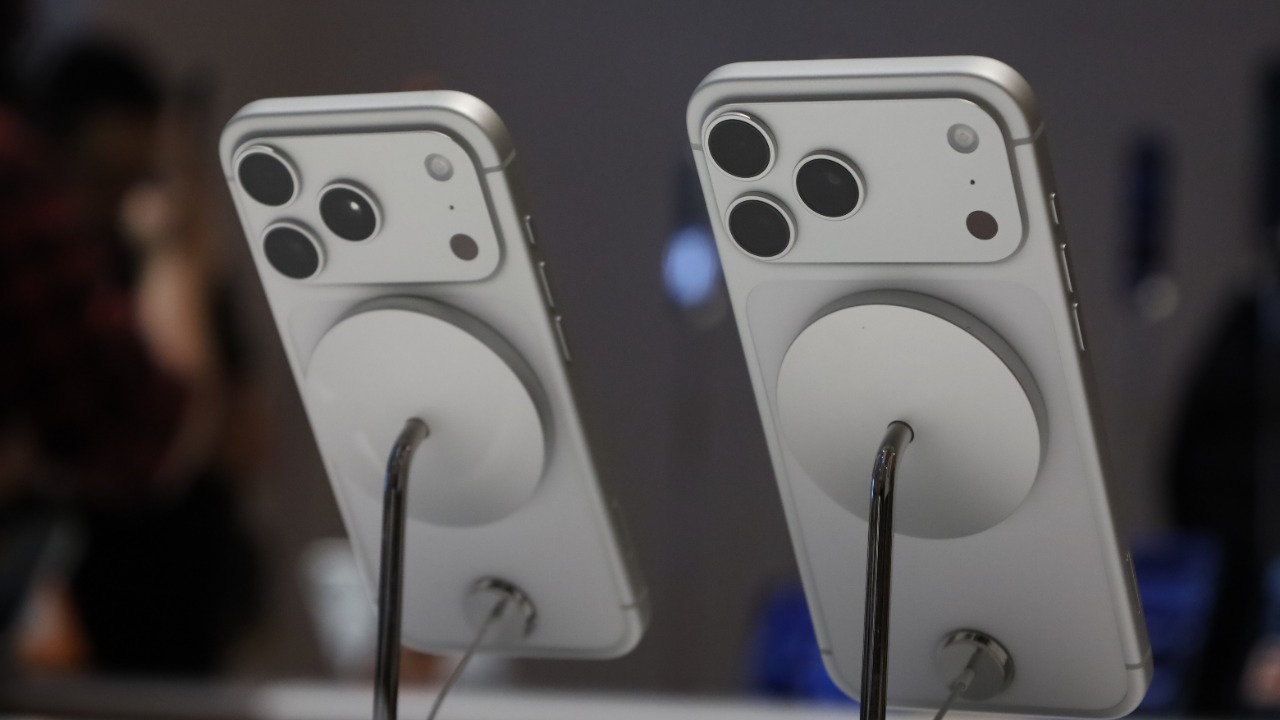

The iPhone camera has reached the point where buying another camera is not always the easiest way to improve someone’s photography.
Sometimes the better investment is a small accessory.
Modern iPhones already combine multiple lenses, computational photography, stabilization, RAW capture and sophisticated video processing. Apple’s recent Pro models can even record professional formats such as ProRAW and ProRes, giving photographers and filmmakers considerably more control over the final image.
But software cannot solve every photographic problem.
It cannot create soft directional light in a dark room.
It cannot give a handheld phone the stability of a tripod.
It cannot physically change the optical characteristics of the lens.
And it cannot make a photographer’s hands perfectly steady during a long exposure.
That is where accessories become useful.
These four upgrades can make a much bigger difference than many of the inexpensive “phone photography kits” sold online.
1. An External Lens Can Give the iPhone a Completely Different Perspective
An iPhone already contains multiple cameras, so why would anyone attach another lens?
Because an external lens can change what those built-in cameras are capable of capturing.
These accessories attach in front of an existing iPhone camera and modify its field of view or focusing characteristics.
Depending on the lens, someone can get an extremely wide perspective, stronger telephoto reach, fisheye distortion, anamorphic video or close-up macro photography.
The key word is optical.
Digital zoom generally enlarges part of an existing image.
An external lens physically changes how light reaches the iPhone’s camera.
That can produce results software cropping alone cannot reproduce.
Moment Makes Some of the Best-Known iPhone Lenses
Moment has built an entire mobile-photography ecosystem around this concept.
Its lenses include telephoto, wide, macro, fisheye and anamorphic options designed for smartphone photography and filmmaking.
A macro lens is particularly interesting.
An iPhone can already shoot close subjects, but a dedicated macro attachment can produce a much more dramatic magnified perspective.
Flowers become landscapes.
Textures become subjects.
Tiny objects suddenly reveal details normally difficult to notice.
A telephoto attachment solves a different problem by giving photographers additional optical reach.
That can be useful for portraits because a longer focal length can produce a more flattering perspective than putting an ultrawide camera close to someone’s face.
Anamorphic Lenses Can Make iPhone Video Look Cinematic
An anamorphic lens is a more specialized option.
Traditional anamorphic cinema lenses squeeze a wider field of view onto the recording medium. The footage is later “desqueezed,” producing a distinctive widescreen appearance.
They can also create the horizontal lens flares strongly associated with cinematic filmmaking.
Moment offers anamorphic mobile lenses in multiple squeeze ratios.
Will attaching one instantly make an iPhone video look like a Hollywood movie?
No.
Lighting, composition, movement and color grading still matter far more.
But an anamorphic attachment creates an optical effect that a simple editing filter cannot perfectly duplicate.
For someone deliberately shooting cinematic mobile video, that makes it much more interesting than a novelty filter.
Cheap Clip-On Lenses Can Make Photos Worse
There is one warning worth remembering.
An additional piece of glass does not automatically improve image quality.
Poor lenses can introduce softness.
Chromatic aberration.
Distortion.
Reflections.
Reduced contrast.
Vignetting.
That is why a $10 package containing eight different clip-on lenses may be less useful than one properly engineered lens.
Compatibility also matters.
Modern iPhones have large camera bumps and multiple lenses positioned close together. An accessory needs to sit precisely over the correct camera.
Otherwise, image quality can deteriorate quickly.
2. A Tripod Can Improve Photos More Than Another Lens
A tripod is not exciting.
It does not contain AI.
It does not add another camera.
But it solves one of photography’s oldest problems:
movement.
When light levels fall, the camera needs more light.
One way to collect it is by keeping the shutter open longer.
But if the phone moves while that happens, the image can become blurry.
A tripod keeps the iPhone still.
That simple change can improve nighttime cityscapes, landscapes, group photos, product photography and long exposures.
It also makes composition deliberate.
Instead of quickly pointing the phone toward something and pressing the shutter, the photographer can position the frame carefully and adjust what appears around its edges.
That often produces a bigger improvement than buying more sophisticated equipment.
Apple’s Night Mode Benefits From Stability
Apple’s Night mode automatically adjusts exposure time based partly on how dark the environment is.
Apple specifically notes that placing an iPhone on a tripod can allow Night mode to use longer capture times when photographing very dark scenes.
That is significant.
A handheld iPhone may need to limit exposure because someone’s hands inevitably move.
A stable phone can collect light for longer.
That can produce cleaner nighttime photographs with more visible detail.
A tripod therefore does not merely prevent blur.
It can allow the iPhone’s computational photography system to operate under better conditions.
A MagSafe Tripod Makes Setup Much Faster
Traditional phone tripods use spring-loaded clamps.
They work.
But attaching and removing the phone repeatedly can become annoying.
MagSafe makes the process considerably simpler on compatible iPhones.
The phone can attach magnetically to a tripod mount, allowing someone to switch between handheld and tripod shooting quickly.
Peak Design offers a mobile tripod that folds into a compact form and uses its magnetic mounting system for fast attachment.
Other manufacturers make similar MagSafe-compatible options.
For travel photography, portability matters more than having the tallest possible tripod.
The best tripod is usually the one someone is actually willing to carry.
A Tripod Also Makes Self-Portraits Much Easier
There is another advantage.
The photographer can finally appear in the photograph.
Place the iPhone on a tripod.
Frame the scene.
Use the camera timer, Apple Watch Camera Remote or another remote shutter method.
Then step into the picture.
Apple Watch owners can use the Camera Remote app to view the iPhone camera image, adjust framing and trigger the shutter from their wrist.
That makes a tripod particularly useful for solo travelers and family photographs.
No stranger needs to be handed an expensive phone.
3. A Small LED Light Can Fix the Problem Computational Photography Can’t
Phone manufacturers frequently advertise better low-light photography.
That is useful.
But sometimes the best solution to bad light is not processing.
It is better light.
A portable LED photography light can dramatically change portraits, food photography, product shots and videos.
Instead of relying on harsh ceiling lighting, the photographer can place the light where it produces more flattering shadows.
Move it closer for softer illumination.
Move it sideways for more dimensional lighting.
Adjust brightness to balance it against the environment.
Some lights also allow color-temperature adjustment.
That means the photographer can move between warmer and cooler illumination depending on the scene.
Small Lights Can Fit in a Pocket
Modern LED video lights can be remarkably compact.
The Aputure MC is a small rechargeable RGBWW light designed for photography and filmmaking. It offers adjustable color temperature and a wide range of colors while remaining small enough for mobile setups.
For an iPhone photographer, something this small can be much more practical than traditional studio lighting.
Imagine photographing food inside a dim restaurant.
A giant softbox obviously is not coming out.
A pocket-sized LED can provide a controlled source of illumination.
The same applies to a small product being photographed for an online shop.
Place the object beside a window.
Use the LED as fill light.
Suddenly the photograph has much more controlled shadows.
Direction Matters More Than Raw Brightness
One mistake beginners make is assuming brighter light automatically means better photography.
It doesn’t.
Direction is often more important.
Light coming directly from the camera can flatten someone’s face.
Move the same light approximately 45 degrees to one side and facial features gain depth.
Move it higher and shadows change again.
Bounce it from a white wall and the source becomes larger and softer.
That is why even an inexpensive external light can produce a more obvious visual improvement than another megapixel increase.
The photographer gains control over where the light comes from.
4. A Gimbal Can Transform iPhone Video
Still photography benefits from a tripod.
Moving video presents a different challenge.
Walking while holding an iPhone produces small movements with every step.
The iPhone’s internal stabilization can compensate for a lot of that motion.
But it cannot eliminate everything.
A motorized gimbal physically moves the phone to counteract unwanted rotation.
The result can be much smoother footage while walking, panning or following a moving subject.
This is particularly useful for travel videos, real-estate tours, social-media content and short films.
DJI’s Osmo Mobile Series Adds More Than Stabilization
DJI’s Osmo Mobile smartphone gimbals are among the most established options in this category.
Recent models combine three-axis stabilization with subject-tracking capabilities and quick magnetic mounting.
DJI Osmo Mobile smartphone gimbals
Tracking is particularly useful for someone filming alone.
Place the gimbal on a small tripod.
Move around.
The system can keep the person framed as they move.
That turns the iPhone into something closer to an automated camera operator.
For creators recording demonstrations, workouts, cooking videos or presentations, this can be more useful than the stabilization itself.
A Gimbal Doesn’t Replace Good Camera Movement
There is an important catch.
Smooth footage can still be bad footage.
A gimbal does not know why the camera is moving.
Someone waving a perfectly stabilized phone randomly around a room will simply produce smooth, confusing video.
Good movement needs intention.
Follow a person.
Reveal a landscape.
Push slowly toward an object.
Move sideways to create depth between foreground and background.
The gimbal removes unwanted movement.
The photographer still has to create the wanted movement.
You Probably Don’t Need All Four Accessories
This is where smartphone photography can become unnecessarily expensive.
Someone sees lenses.
Then a tripod.
Then a gimbal.
Then lights.
Soon the supposedly convenient iPhone camera requires an entire backpack of equipment.
That defeats part of its purpose.
The better approach is identifying what is actually limiting the photographs.
If nighttime photos are blurry, try a tripod.
If portraits look flat, experiment with lighting.
If videos shake while walking, consider a gimbal.
If the existing cameras cannot produce the desired perspective, look at external lenses.
Each accessory should solve a specific problem.
Start With Light Before Buying More Glass
If someone can buy only one photography accessory, a portable light may provide the most educational value.
Photography literally depends on light.
Understanding how its direction, softness, intensity and color affect a subject improves photographs regardless of which camera is being used.
A photographer who understands lighting can make an older iPhone produce impressive results.
Someone who does not understand light can buy the newest iPhone and still produce ordinary photographs.
That is why professional photography often involves surprisingly expensive lighting equipment even when the camera itself is already excellent.
The camera records what is there.
The photographer decides what should be there.
Don’t Forget the iPhone’s Existing Camera Tools
Before spending money, it is also worth understanding what the iPhone already provides.
Apple offers exposure adjustment, photographic styles on supported models, Night mode, Portrait mode, macro photography on compatible devices and ProRAW on supported Pro models.
Apple’s current camera documentation explains the shooting modes and controls available across supported iPhone models.
Learning those features costs nothing.
Grid lines can improve composition.
Exposure compensation can prevent blown highlights.
Portrait controls can change depth effects.
ProRAW can provide substantially more editing flexibility.
Accessories work best when they extend those existing capabilities rather than replacing basic photography skills.
Which Accessory Makes the Biggest Difference?
There is no universal answer.
For still photography, the tripod is probably the best value because it improves low-light work, landscapes, long exposures, group shots and self-portraits.
For portraits and product photography, a portable LED light may create the most immediately visible improvement.
For filmmaking, a gimbal can dramatically improve moving shots.
For photographers wanting perspectives their iPhone cannot naturally provide, a quality external lens makes the most sense.
The important word is quality.
Putting bad glass in front of an excellent iPhone camera can make the image worse.
Mounting an expensive phone on an unreliable tripod is risky.
And a weak magnetic mount is not worth trusting during active filming.
The Best iPhone Camera Upgrade Might Not Be Another iPhone
Every new iPhone generation promises better cameras.
More resolution.
Better stabilization.
Improved low-light processing.
Smarter computational photography.
Those advances are real.
But photography still follows the same fundamental principles it always has.
Light matters.
Stability matters.
Perspective matters.
Camera movement matters.
A tripod controls stability.
An LED controls light.
An external lens changes perspective.
A gimbal controls movement.
That is why these accessories can sometimes produce a much more noticeable improvement than moving from one recent iPhone generation to another.
The phone already contains an extremely capable camera.
The right accessory simply gives the photographer more control over what that camera sees.
And ultimately, control not another megapixel is what makes photographs start looking intentional rather than accidental.