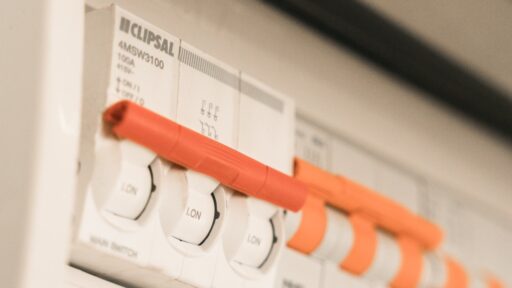
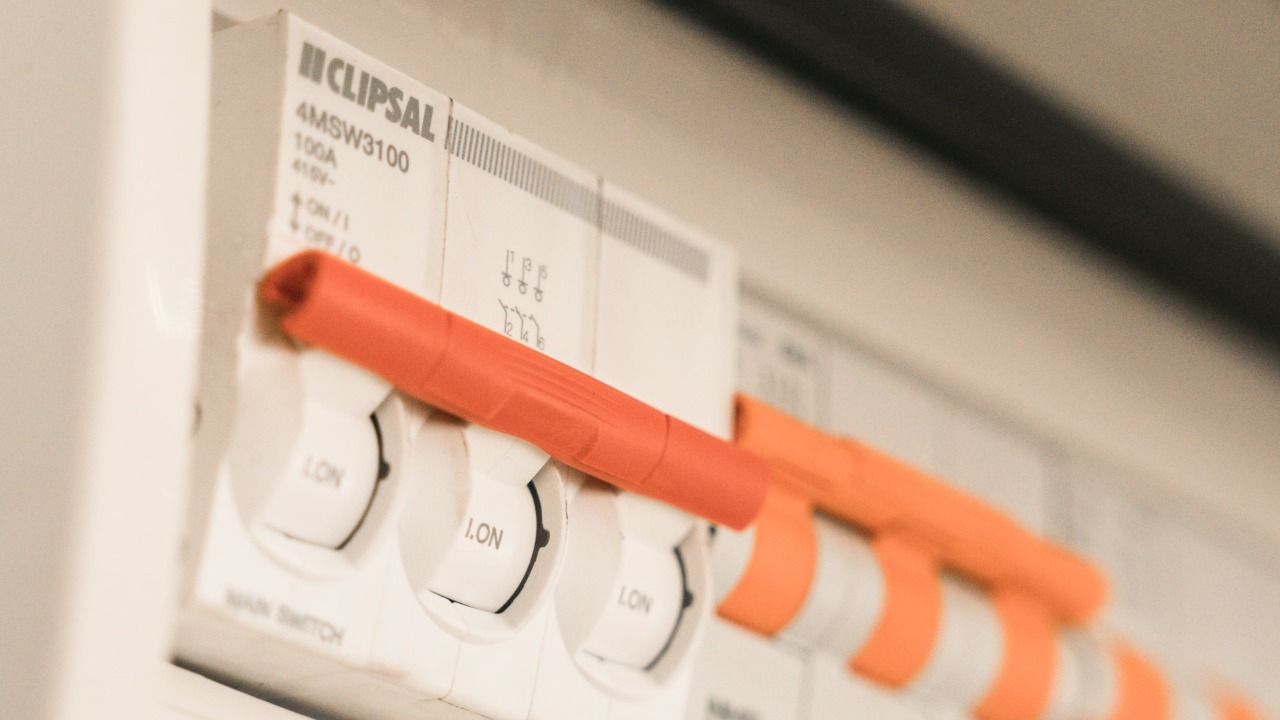

A power outage can interrupt work, disconnect a home network and leave phones without a reliable charging source. The greater concern, however, may arrive when the electricity returns.
Electrical service does not always restart with perfectly stable voltage. Short surges, repeated on-and-off cycles and voltage fluctuations can place stress on computers, televisions, game consoles, routers, storage devices and smart-home equipment. A sudden loss of electricity can also interrupt a computer while it is saving a file, installing an update or writing data to a storage drive.
The Federal Emergency Management Agency advises households to disconnect electronics during an outage to reduce the risk of damage from momentary power surges. It also recommends using surge protection and preparing alternative charging methods for essential devices.
Protecting technology does not require converting a home into a data centre. A few practical devices and habits can reduce the chance of losing expensive hardware or important information.
1. Use a Real Surge Protector Instead of an Ordinary Power Strip
A basic power strip increases the number of available outlets, but it does not necessarily protect connected equipment from voltage spikes. A surge protector contains components designed to divert or limit excess voltage before it reaches sensitive electronics.
Computers, monitors, televisions, game systems, networking equipment and home-office devices should be connected to properly rated surge protectors rather than unprotected extension strips. A household should also avoid connecting one power strip to another, overloading outlets or using damaged products with loose sockets and discolored plugs.
UL Solutions recommends checking for recognized safety certification when purchasing a surge protector. In the United States, surge protective devices should generally be evaluated to UL 1449, while ordinary relocatable power taps follow different requirements. The UL guide to power strips and surge protectors explains that not every strip provides surge protection and that certification helps confirm the product has been evaluated against applicable safety standards.
Surge protectors also have a limited service life. Their internal components can weaken after repeated voltage events, even when the device still supplies electricity. A protector with a warning light that no longer indicates active protection should be replaced according to its manufacturer’s instructions.
A whole-home surge protective device can add another layer of defense by being installed at the electrical panel. It should be selected and installed by a qualified electrician. It does not remove the value of point-of-use protection, especially for expensive electronics, but it can help reduce surges entering through the home’s main electrical supply.
2. Connect Computers and Network Equipment to a UPS
An uninterruptible power supply, or UPS, combines surge protection with a rechargeable battery. When utility electricity fails, the UPS switches to battery power almost immediately, allowing connected equipment to continue operating temporarily.
The purpose of a home UPS is usually not to keep a desktop computer running for several hours. It provides enough time to save open work and shut the computer down correctly. It can also keep a modem, router or network storage device operating during a brief interruption.
The UPS must be sized for the equipment it will support. A small model may be suitable for a router and modem, while a gaming computer, workstation or network storage system may require considerably more capacity. The total wattage of connected devices should remain below the UPS output rating, and the expected battery runtime should be checked at the intended load.
Laser printers, heaters, kettles and other high-power appliances should not normally be connected to a small computer UPS. Their startup or heating demand may overload it. Battery-backed outlets should be reserved for devices that genuinely need time to shut down or remain connected.
CISA’s resilient-power guidance notes that UPS runtime should be long enough to support equipment until another power source becomes available or an orderly shutdown can be completed. Network-connected UPS systems should also be secured, because CISA has previously warned about devices exposed through unchanged default passwords.
UPS batteries gradually lose capacity. A unit that worked properly several years earlier may provide only a few minutes of runtime today. Routine self-tests and manufacturer-recommended battery replacement help ensure the backup will work when it is needed.
3. Unplug Sensitive Devices Until Power Becomes Stable
Surge protection reduces risk, but physically disconnecting equipment provides stronger isolation from disturbances traveling through an electrical outlet.
When an outage begins, computers, televisions, consoles, chargers and other sensitive devices can be unplugged when it is safe to do so. One light may be left switched on so occupants can recognize when electricity has returned.
Immediately reconnecting everything is not always necessary. Power may briefly return and fail again while utility crews restore service. Waiting several minutes after electricity appears stable can prevent electronics from experiencing repeated shutdowns and restarts.
Ready Business guidance specifically recommends disconnecting computers and other equipment because momentary surges may occur during an interruption or restoration. This simple action is particularly useful for devices without UPS support.
During lightning storms, unplugging equipment may offer additional protection when it can be done before the storm arrives. No plug, cable or electrical panel should be touched during active flooding, when outlets are wet or when damaged wiring is suspected.
4. Keep Essential Devices Charged and Prepare Backup Power
Phones often become more important during an outage because they provide emergency alerts, communication, maps and utility updates. A charged power bank can extend phone service without requiring access to the electrical grid.
Households can keep one or more reputable power banks charged and test them periodically. A car charger can provide another option, but a vehicle should never be left running inside a garage or another enclosed space. The Department of Energy’s mobile-device charging guidance advises that any running vehicle used for charging must be positioned in a well-ventilated area.
Portable power stations can operate laptops, routers and selected low-power electronics for longer periods. Their capacity should be compared with the wattage and expected operating time of the connected equipment. They should be charged, stored and used according to the manufacturer’s battery-safety instructions.
A portable generator may support larger loads, but it introduces serious carbon-monoxide and electrical hazards. Ready.gov states that generators should be used outdoors and away from windows. They should never be operated inside a home, garage or enclosed space, even when doors are open.
5. Back Up Important Data Before the Next Outage
Hardware can often be replaced. Personal photographs, business documents and unfinished projects may be much more difficult to recover.
A practical backup system should not depend on one computer or one storage drive. Important files can be synchronized to a reputable cloud service while a second copy is kept on an external drive. The external drive should be disconnected after the backup when continuous access is unnecessary, protecting it from electrical damage and other threats affecting the main computer.
Automatic backups are valuable because they do not depend on someone remembering to copy files manually. However, users should periodically confirm that new files are being included and that older versions can actually be restored.
CISA recommends maintaining offline backups and regularly testing restoration procedures. Although its guidance is designed partly for organizational cybersecurity, the same principle applies to home users: a backup is only useful when it contains the required data and can be recovered successfully.
Small Preparations Can Prevent Expensive Losses
The most effective protection comes from combining several layers. A certified surge protector handles many voltage spikes, a UPS allows orderly shutdown, unplugging isolates equipment during unstable service, backup power keeps essential devices available and reliable data copies protect information when hardware fails.
None of these measures can guarantee that every device will survive every electrical event. Lightning, damaged utility equipment, flooding and severe wiring faults can exceed ordinary consumer protection. However, these five steps significantly reduce avoidable risk without requiring major changes to a home.
The right time to prepare is before the lights go out. Once an outage begins, a charged power bank, functioning UPS and recent data backup become far more valuable than their price suggests.