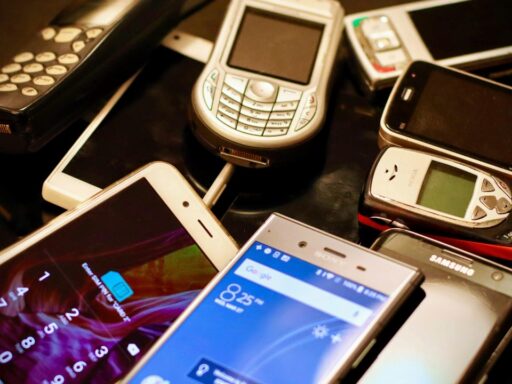

Old phones rarely die. They end up in drawers, trade-in boxes, or resale sites, still packed with years of messages, photos, and logins. To keep that data from resurfacing in the wrong hands, owners need more than a quick reset; they need a methodical wipe that leaves nothing recoverable.
Modern iPhone and Android encryption means a proper reset can make personal data effectively unreachable, but only if the right steps are followed in the right order. That means backing up, logging out, revoking access, and then erasing and reloading the operating system so the device starts again from a clean slate.
What has changed in securely wiping an old phone
For older devices, secure erasure once meant overwriting storage multiple times. Current iOS and Android phones handle data differently. They encrypt user information by default, then protect the encryption keys with a passcode or biometric lock. When someone performs a full reset, the device destroys those keys, turning the remaining encrypted blobs into unreadable noise.
This shift makes the factory reset far more powerful than it used to be, but it also raises the stakes for doing it correctly. A reset that leaves accounts logged in or cloud backups accessible can still expose private content, even if the local storage is wiped. The process now has to cover both the physical phone and the online services tied to it.
At the same time, operating system updates have become heavier and more frequent. Guidance on Android update mistakes shows how interrupted or poorly timed upgrades can leave a device unstable or partially configured. If a phone is about to be sold or handed down, that risk matters. A half-finished update can interfere with encryption, backups, or the reset process itself.
Cloud ecosystems have also deepened their hooks. A single phone can automatically sync photos to Google Photos or iCloud, messages to multiple devices, and app data to third-party servers. Wiping the handset without checking those connections can leave a full copy of a person’s life sitting in accounts that remain signed in somewhere else.
Why permanent phone wiping matters more right now
Old phones have become valuable targets, not just for resale but for identity theft. Many people keep digital copies of passports, tax documents, and banking details in email or note-taking apps. If a discarded handset falls into the wrong hands and is still signed in to those accounts, the attacker does not need to bypass encryption at all. They simply open the apps.
Guides on what to do after a device goes missing stress how quickly a thief can exploit unlocked services. Advice on lost phones emphasizes immediate steps like changing passwords, revoking sessions, and triggering remote wipes. Those same steps apply before a planned sale or trade-in. The difference is that owners have time to prepare and can be thorough instead of reactive.
Social media and communication apps increase the risk. A phone that still has access to Facebook, X, or email can be used to reset other passwords, impersonate the owner, or harvest contact lists. Guides on how to change a Facebook highlight how one compromised login can cascade across services. If the old device keeps a valid session token, anyone holding it can bypass those updated credentials until the session is revoked.
Account control matters just as much for platforms that blend personal and professional life. Instructions on how to deactivate an X show how closing or suspending profiles can reduce the fallout from a compromised device. For people who run business accounts or public profiles from their phones, leaving those apps active on an old handset can expose brand channels, ad accounts, and direct messages.
The secondary market for used phones has also matured. Trade-in programs, recycling schemes, and peer-to-peer marketplaces all encourage people to move devices on instead of hoarding them. That is good for the environment and budgets, but it also means more personal hardware passes through unknown hands. A disciplined wipe process is the only practical way to make that safe at scale.
How to wipe an old phone so data cannot be recovered
A truly clean phone starts with preparation, not the reset button. The first step is a fresh backup. On Android, that usually means syncing to a Google account and, if needed, using tools that explain how to back up and before a factory reset. On iPhone, iCloud or an encrypted computer backup preserves messages, photos, and app data for the next device.
Next comes account hygiene. Owners should sign out of major services on the phone itself, then change passwords from a different device. That includes email, banking, password managers, and social media. Where possible, they should revoke old sessions or devices from the account security settings so the soon-to-be-wiped phone can no longer connect even if someone tries to restore it.
With accounts under control, the focus shifts to local security settings. Any screen lock, biometric authentication, or Find My style tracking service should be disabled only after confirming that the device is still in the owner’s hands and ready for reset. Removing external storage, such as microSD cards, is also essential, since these often store photos and downloads that a factory reset will not touch.
The core step is the factory reset itself. On Android, that typically lives under Settings, System, then options labeled reset or erase all data. On iPhone, it appears under General and then a reset or transfer menu. Before confirming, users should ensure the device is plugged in or fully charged, because power loss mid-wipe can corrupt the operating system.
For iPhones with hardware encryption, the reset destroys the keys that protect user partitions. For modern Android devices, similar encryption schemes apply. That means a single full reset, performed through the official settings, is more effective than multiple manual overwrites. Guidance on how to factory reset an explains how these built-in tools are designed to meet resale and trade-in needs without extra software.
After the reset, the phone should reboot to a setup screen as if it were new. At this stage, owners should avoid signing back into any accounts. Instead, they can check that no personal photos, messages, or apps remain accessible, then power the device down. If the phone will be sold or recycled, leaving it at the welcome screen makes it clear that it no longer holds private data.
People who want an additional layer of reassurance can combine encryption and reset. One approach is to set a new, strong passcode, ensure the device storage is encrypted, fill the phone with non-sensitive data such as sample videos, then perform another factory reset. This process makes any theoretical recovery effort focus on meaningless filler rather than original content, although for most modern phones the initial encrypted reset is already sufficient.
What comes next for secure device disposal and personal data
The habits that protect an old phone also apply to other hardware. Laptops, tablets, and even smartwatches carry sensitive information that should not travel unprepared into the resale market. Guidance on how to wipe a laptop mirrors the same pattern: back up, sign out, revoke access, then erase and reinstall the operating system.
As more devices connect to the same cloud accounts, a lost or discarded phone becomes only one node in a larger security picture. Owners benefit from keeping an updated inventory of hardware tied to their Apple ID, Google account, or password manager and pruning that list regularly. Removing retired devices from trusted status reduces the risk that an overlooked handset will remain a silent backdoor.
Regulators and recyclers are also paying closer attention to data protection. Trade-in programs increasingly promise certified erasure, but those guarantees vary. Until standards mature, users should assume responsibility for wiping their own devices before handing them over, rather than relying solely on downstream processes.