

Modernising a home does not always require replacing major appliances, installing complex wiring or investing in an expensive whole-house automation system. Some of the most useful household tech upgrades are small accessories that solve everyday problems without permanently changing the property.
A carefully chosen smart plug can automate an ordinary lamp. An LED bulb can improve lighting while lowering electricity use. A compact streaming player can modernise an older television, while an inexpensive water sensor can warn a homeowner about a leak before it causes extensive damage.
The most successful upgrades are not necessarily the most advanced. They are products that work with equipment already in the home, require limited installation and deliver a clear improvement in convenience, efficiency or protection.
1. Add Smart Plugs to Existing Appliances
A smart plug fits between a wall outlet and an ordinary electrical device. Once connected to an app or compatible smart-home platform, it can turn the attached device on and off according to a schedule, voice command or automation.
This makes smart plugs a low-cost way to modernise lamps, fans, coffee makers, decorative lighting and other appliances that do not already include connected controls. A homeowner could schedule a living-room lamp to switch on before sunset or automatically turn off a fan after a set period.
Some models also monitor electricity consumption. This can help identify devices that use more energy than expected or continue drawing power when they appear to be switched off. ENERGY STAR includes smart plugs and smart power strips among the devices used by certified smart home energy management systems.
Compatibility deserves attention before purchasing. A plug may work only with one manufacturer’s application, while models supporting the Matter standard can connect with several major smart-home ecosystems. The Connectivity Standards Alliance recommends looking for the Matter badge when selecting compatible devices and notes that remote access may still require a suitable internet-connected controller or smart-home hub. Its Matter consumer guidance explains how the standard is intended to make products from different brands work together more consistently.
Smart plugs should only be used within their stated electrical ratings. High-power heaters, air conditioners and other demanding appliances should not be connected unless the manufacturer specifically confirms that the plug supports that load.
2. Replace Frequently Used Bulbs With Smart LEDs
Lighting is another area where a small investment can create a noticeable change. A homeowner does not need to replace every fixture at once. Updating the bulbs in the most frequently used rooms can improve efficiency and add useful controls without electrical renovation.
A standard LED bulb consumes considerably less electricity than a traditional incandescent bulb and normally lasts much longer. ENERGY STAR reports that certified LED bulbs can use up to 90 percent less energy and last up to 15 times longer than conventional bulbs. Its low-cost home energy guidance identifies LED replacement as one of the simplest household energy upgrades.
Smart LEDs add app-based dimming, scheduling and colour-temperature adjustment. Warmer light can create a more comfortable evening atmosphere, while cooler light may be preferred in a kitchen, home office or utility area. Some bulbs can also simulate occupancy by turning on at selected times while the property is empty.
Homeowners should confirm the bulb base, physical size, brightness and whether the existing wall switch or dimmer is compatible. Installing a smart bulb on an unsupported traditional dimmer can cause flickering or unreliable operation.
There is also little benefit in placing a smart bulb on a wall switch that family members constantly turn off. Cutting power at the switch disconnects the bulb from the network and prevents scheduled or remote control. Smart bulbs work best where the wall switch can remain on, while ordinary efficient LEDs may be more practical in other rooms.
3. Improve Wi-Fi Before Replacing Connected Devices
Slow smart televisions, unreliable security cameras and disconnected speakers are often blamed on the devices themselves. In many homes, the real problem is weak or poorly distributed Wi-Fi.
The cheapest improvement may cost nothing. Moving the router away from the floor, metal cabinets, large appliances and enclosed furniture can improve signal distribution. A central, elevated and open position usually gives wireless signals a clearer path through the home.
Walls, furniture and other obstructions can weaken coverage, particularly in larger or multi-storey properties. Google’s explanation of mesh Wi-Fi networks notes that physical barriers affect signal distribution and that multiple access points can provide alternative routes between devices and the primary router.
When repositioning does not solve the problem, a Wi-Fi extender or additional mesh point can improve coverage in one or two weak areas. The accessory should be installed where it can still receive a strong signal, rather than directly inside the dead zone.
Security is equally important. An older router may still function but no longer receive firmware updates. CISA recommends installing current router firmware, changing default credentials and disabling unnecessary remote-management access. Its home router security guidance treats the router as a primary security boundary for every connected device in the property.
Strengthening the network before buying additional smart devices can improve the performance of technology already in the home and reduce the frustration created by repeated disconnections.
4. Turn an Older Television Into a Smart TV
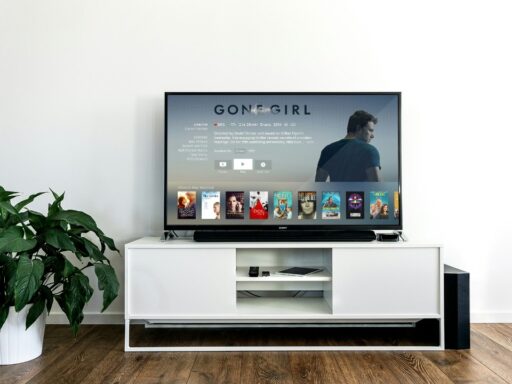
A television with a good display does not necessarily need replacing simply because its built-in apps are slow, outdated or no longer supported. A compact streaming player can add modern services and a more responsive interface through an available HDMI port.
Devices from platforms such as Roku, Google TV and other established providers connect to the television, join the home Wi-Fi network and run streaming applications independently of the television’s original software. Roku specifically describes its streaming players as an option for turning an older television into a smart TV through HDMI or another supported connection.
This approach can extend the useful life of a television that still produces a satisfactory picture. It may also provide a newer remote control, voice search, updated app support and easier access to subscription services.
Before purchasing, the homeowner should confirm that the television has a compatible HDMI connection and supports the resolution required by the streaming device. Google states that its Google TV Streamer uses an existing Wi-Fi network and can connect to a display system with a suitable HDMI port.
Replacing only the outdated smart interface is usually less expensive and less wasteful than discarding an otherwise functional television.
5. Install Water-Leak Sensors in High-Risk Areas
Smart-home upgrades are often associated with entertainment and convenience, but one of the most practical additions is a small water-leak sensor.
These sensors can be placed near washing machines, water heaters, sinks, toilets, dishwashers, refrigerators or basement equipment. When moisture reaches the sensor, it sounds an alarm or sends a notification to the homeowner’s phone.
The US Environmental Protection Agency explains that leak-detection devices can identify unexpected dampness or unusual water use before the problem becomes more serious. Some are simple battery-powered sensors requiring no plumbing work, while more advanced systems monitor the main water line and can work with an automatic shutoff valve. The EPA’s WaterSense leak-detection guide outlines the available options and their installation requirements.
A basic sensor cannot repair a leaking pipe, but an early alert can reduce the time water remains unnoticed. That can be particularly valuable in utility rooms, holiday homes, rental properties and areas that are not checked every day.
Sensors still require maintenance. Their batteries should be tested periodically, notification permissions should remain enabled and the homeowner should confirm that alerts still work after changing the Wi-Fi network or replacing a phone.
Small Upgrades Can Deliver the Most Practical Benefits
The best household technology upgrade is not always the product with the longest feature list. It is the one that addresses a real weakness in the home.
Smart plugs add control to existing appliances. LED bulbs improve lighting efficiency. Better Wi-Fi supports every connected product, while a streaming player extends the life of an older television. Leak sensors provide a simple warning system for one of the most expensive types of household damage.
Homeowners should introduce these upgrades gradually rather than purchasing several unrelated devices at once. Starting with one room or one recurring problem makes it easier to evaluate whether the technology is genuinely useful.
Compatibility, security and ongoing support matter as much as the original purchase price. Products from reputable manufacturers, supported standards such as Matter and devices that continue receiving updates are more likely to remain useful over time.
A smarter home does not need to be filled with expensive automation. A few carefully selected, affordable accessories can make existing equipment easier to control, more efficient and better protected.