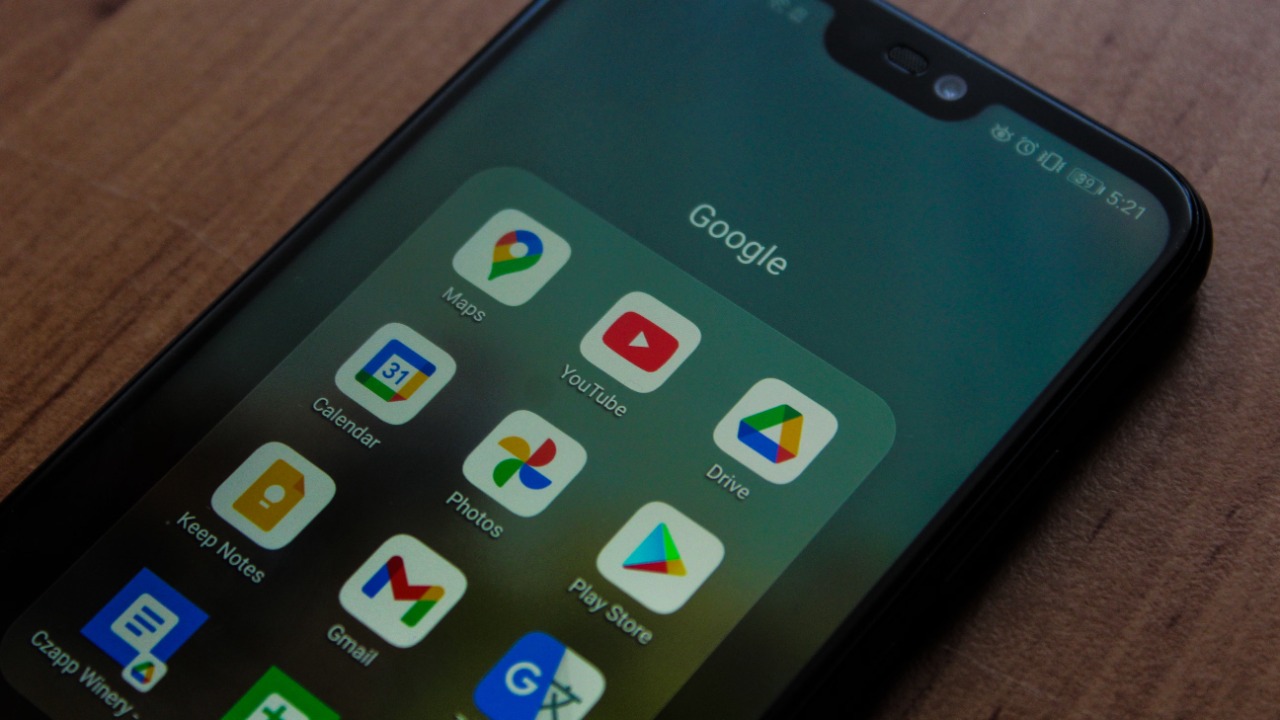

Some older Android phones can no longer reliably access the Google Play Store after Google ended Play services support for Android 6.0 Marshmallow.
Google’s current support documentation states that Google Play services now requires Android 7.0 Nougat, also known as API level 24, or a newer version. Devices permanently limited to Android 6.0 or 6.0.1 are therefore outside the supported Google Play environment. Reports indicate that a recent Play Store update has already prevented some Marshmallow devices from opening or using the store normally.
The change does not affect most current Android phones. It primarily applies to devices that are approximately a decade old and never received an official update beyond Marshmallow.
For owners who have kept an older phone in good physical condition, however, losing Google Play access can turn a working device into something far less useful.
Android 6 Marshmallow Had an Unusually Long Life
Android 6.0 Marshmallow was introduced in 2015. It brought several features that later became fundamental to Android, including app-by-app runtime permissions, native fingerprint support, USB-C compatibility and Doze battery management.
Google continued supporting Marshmallow through Google Play services for nearly 11 years. That was an exceptionally long period for a mobile operating system and reportedly the longest Play services support window received by any Android version so far. Android 5 Lollipop lost comparable support in July 2024 after roughly a decade.
The decision to move the minimum requirement to Android 7 is therefore not a sudden abandonment of relatively recent hardware. It is the final stage of support for an operating system that has already been without normal platform security updates for many years.
According to the report behind the announcement, Android 6 and earlier represented only about 0.4% of devices connecting to Google Play servers by December 2025. That is a small percentage, although Android’s enormous global install base means the change may still affect a meaningful number of phones and tablets.
Google Play Services and the Play Store Are Different
The Google Play Store is the visible marketplace through which Android owners search for, purchase and update applications.
Google Play services operates mainly in the background. It connects applications to Google functions such as account sign-in, location services, Maps integration, push notifications and other shared systems. Google can update this layer separately from a manufacturer’s full Android operating-system upgrade. The distinction is explained in Google’s official guide to keeping devices and applications working with Google Play services.
Ending support for Play services can therefore have consequences beyond the inability to browse the store. Applications that depend on newer Google APIs may stop receiving important improvements or begin losing functions as developers discontinue compatibility with Android 6.
An installed app does not necessarily stop working the moment support ends. Its existing version may continue opening for months or even years. Problems are more likely to appear gradually as servers, security requirements and app interfaces change.
Existing Applications May Continue Working Temporarily
Applications already installed on a Marshmallow phone are not automatically deleted. Locally stored photographs, documents and offline applications should also remain on the device.
The difficulty is that those apps may no longer receive updates through Google Play. Google explains that application updates regularly include feature improvements, security corrections and stability fixes. When updates are no longer available, the installed version remains frozen while the service it connects to continues changing.
A basic calculator or offline music player might remain functional for a long time. Banking, streaming, messaging, navigation and cloud-storage apps are more vulnerable because they rely on active online platforms.
A bank may introduce a new encryption requirement. A messaging service may retire an older connection method. A streaming platform may update its digital-rights system. When the legacy application cannot adapt, it may display an error, refuse account sign-in or stop loading content.
Some major developers had already abandoned Marshmallow before Google changed the Play services requirement. App publishers can choose a newer minimum version whenever their security, design or technical requirements make older Android releases difficult to maintain.
Why Google Ends Support for Older Android Versions
Maintaining compatibility with an operating system released more than a decade earlier creates technical and security costs.
Developers must test applications across different system behaviours, permission models, hardware configurations and programming interfaces. Supporting very old software can also require retaining legacy code that newer Android versions no longer need.
Security is the more important concern. Android 6 does not contain many protections introduced in later versions, and devices stuck on Marshmallow are unlikely to receive manufacturer security patches. Continuing to connect modern accounts and financial services through such a device creates increasing risk.
Google requires certified Android devices to pass compatibility and security testing before they can ship with licensed Google applications. Its Play Protect certification overview warns that unsupported or uncertified devices may not run Google apps and Play Store services correctly.
That does not mean every Marshmallow phone has already been compromised. It means newly discovered weaknesses are less likely to be fixed, making the device progressively harder to trust for sensitive activity.
Owners Should Check Their Android Version
The affected version can be confirmed through the phone’s settings. Google advises opening Settings, selecting About phone or About tablet and then checking Android version. The same section may also show the Android security update date and Google Play system update status.
The complete process is available in Google’s guide to checking and updating an Android version.
A phone running Android 7 or later meets Google Play services’ present minimum requirement. That does not guarantee indefinite access because Google may raise the threshold again in the future, and individual apps can impose higher requirements.
When a Marshmallow device has an official system update available, installing it is the most direct solution. The update must come from the phone manufacturer or an authorised carrier, depending on how the device was originally sold.
Many affected models will have no official upgrade path because their manufacturers ended support years ago.
Sideloading Is Possible but Does Not Fully Solve the Problem
Android allows apps to be installed from sources outside Google Play. An owner might obtain an APK directly from a developer or use an alternative repository such as F-Droid.
That approach does not guarantee compatibility. A newer APK may still require Android 7, 8, 10 or another later release. Installing an older version may temporarily restore access, but the application can remain vulnerable or fail when its online service stops accepting outdated clients.
Third-party downloads also require greater caution. Copies obtained from unverified websites may be modified, repackaged or infected with malicious code. Losing Play Store access removes some of the automated update and scanning protections that ordinary users depend upon.
A custom Android operating system could extend the device’s life in certain cases, but installing one requires technical skill and may introduce problems with bootloader security, camera performance, mobile payments or Play Protect certification. Google notes that rooted devices, modified operating systems and unlocked bootloaders may fail certification checks and lose access to certain applications or features.
The Phone Can Still Serve Less Sensitive Purposes
A Marshmallow phone does not become worthless simply because Google Play support ends.
It may still function as an alarm clock, offline music player, digital photo frame, basic camera, remote control or local media device. Applications already installed may continue working when they do not depend heavily on external servers.
Using it as a primary smartphone is increasingly difficult. Email, financial accounts, password managers, work files and private communications should ideally move to a device that continues receiving security updates.
Owners replacing an older phone should back up personal data, remove accounts and perform a factory reset before selling, recycling or donating it. A device that is no longer appropriate for sensitive use can still have a useful second life when its limitations are understood.
This Is the Natural End of a Long Support Window
Google’s decision affects only a small proportion of Android users, but it illustrates a wider truth about connected devices. Hardware can remain physically operational long after the software ecosystem around it has moved on.
Android 6 Marshmallow received an unusually long period of access to Google Play services. Its retirement does not immediately disable every application, but it removes the infrastructure that helped keep old phones connected to modern Android services.
For affected owners, the first step is to check whether Android 7 or later can be officially installed. When no update exists, replacing the phone is the safer long-term option, particularly when the device is used for banking, work or private communication.