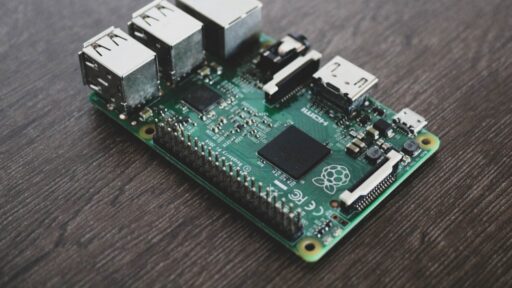
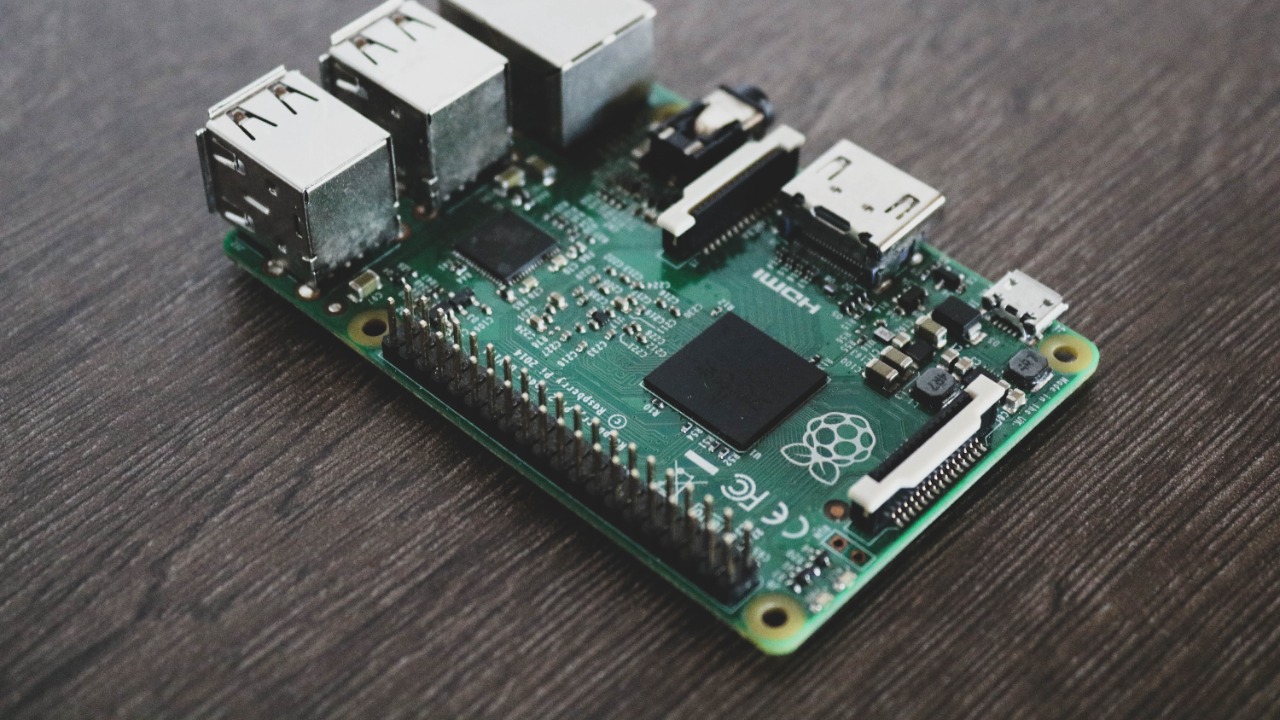

A Raspberry Pi can be turned into private cloud storage that automatically synchronises files, backs up photographs and makes documents available across phones and computers. It can deliver many of the everyday benefits associated with Google Drive, Dropbox or iCloud while allowing the owner to retain physical control of the storage hardware.
The idea is attractive because there is no mandatory monthly storage subscription. Once the Raspberry Pi, external drive and supporting equipment have been purchased, the system can continue operating at home for years. Open-source platforms such as Nextcloud provide browser access, mobile applications, file sharing and automatic photo uploads.
However, self-hosting does not make storage free, invulnerable or maintenance-free. The owner becomes responsible for hardware failures, software updates, security, backups, remote access and internet outages. Whether the project is worthwhile depends less on storage capacity and more on how much responsibility the owner is prepared to accept.
What a Raspberry Pi Cloud Actually Does
The Raspberry Pi acts as a small server that remains switched on and connected to a home network. Files are stored on an attached hard drive or solid-state drive, while server software controls who can access them and how they are synchronised.
The simplest setup can function as network-attached storage. Computers on the same network can access shared folders through standard file-sharing protocols. This is useful for keeping household documents, media and backups in one central location, but it does not automatically provide the polished experience associated with a commercial cloud platform.
Installing Nextcloud adds many cloud-style features. Users can access files through a web browser, synchronise folders with desktop clients, upload phone photographs automatically, create shareable links and add applications for calendars, contacts and collaborative work. Nextcloud states that its platform can run on a small two-user Raspberry Pi installation as well as much larger infrastructure.
The system is still physically located inside the owner’s home. When a file is opened remotely, it travels through the home internet connection rather than being delivered from a global data centre.
The Hardware Costs More Than the Raspberry Pi
The computer board is only one part of the total expense. A practical system also needs a suitable power supply, cooling, a case, storage and preferably a wired Ethernet connection.
A Raspberry Pi 5 is powerful enough for personal file hosting and offers two USB 3.0 ports and Gigabit Ethernet. Raspberry Pi says the model delivers between two and three times the CPU performance of the Raspberry Pi 4, making it better suited to file indexing, photo processing and multiple simultaneous users.
Storage normally represents the largest expense. An external hard drive offers a lower cost per terabyte, while an SSD is quieter, faster and less vulnerable to mechanical damage. Raspberry Pi also sells NVMe storage kits for the Pi 5, although large external drives remain more practical when maximum capacity matters.
Power requirements should not be ignored. Raspberry Pi warns that hard drives and SSDs may require more power than the board can reliably provide, especially when multiple drives are attached. A powered enclosure or powered USB hub may therefore be necessary. The Pi 5 can reach approximately 12 watts under demanding workloads before accounting for storage devices, so electricity use is relatively low but not zero.
By the time a Pi, drive, case, cooler, power supply and backup drive have been purchased, the initial cost may equal several years of entry-level commercial cloud storage.
Performance Is Good Enough, but It Has Limits
For ordinary documents, phone photographs and household backups, a Raspberry Pi cloud can feel responsive. Gigabit Ethernet provides enough network capacity for several devices, although real transfer speeds will also depend on the drive, USB connection, router and client hardware.
Local transfers can be considerably faster than sending the same files through the internet. Remote performance is different because it is restricted by the home connection’s upload speed. A household may have a fast download plan but a much slower upload limit, causing large remote transfers to take considerably longer than expected.
The Pi 5 is also not necessarily the best value for every storage project. Raspberry Pi itself has acknowledged that an inexpensive mini PC may be a stronger NAS option because it can include faster NVMe connectivity, SATA ports and 2.5-Gigabit Ethernet. The Pi remains attractive for its small size, low power use and large software community, but it should not be assumed to outperform every similarly priced computer.
A small family deployment is realistic. A busy creative team editing large video projects directly from shared storage would be better served by a dedicated NAS or more powerful server.
Remote Access Is the Most Sensitive Part
A local cloud becomes much more useful when files can be reached outside the home. It also becomes more exposed to security threats.
Traditional remote access may involve forwarding ports through the router, obtaining a domain name, configuring HTTPS certificates and protecting the server from automated internet attacks. This is manageable for experienced administrators, but a badly configured service can expose private files or login pages to the public internet.
A private networking service such as Tailscale can simplify the process. Tailscale creates an encrypted private network between authorised devices, allowing a phone or laptop to connect to the Raspberry Pi without directly publishing the server to the wider internet. Its sharing features can also grant selected people access to one device without exposing the rest of the home network.
This approach is often safer and easier for personal use, although every remote user must generally install and authenticate through the service. Public file-sharing links and access for people without the required client may still need a more conventional Nextcloud configuration.
Regardless of the connection method, strong passwords, multi-factor authentication, current software and restricted administrator access remain essential.
Owning the Server Means Maintaining the Server
Commercial cloud providers handle failed drives, security patches, server monitoring and most service interruptions. A Raspberry Pi owner assumes all of those responsibilities.
Nextcloud requires compatible versions of its operating system, web server, database and PHP runtime. Its official requirements also note that memory demand varies according to the number of users, applications, files and level of activity. Updates must be reviewed and installed regularly so the system does not remain exposed to known vulnerabilities.
Maintenance also includes checking available disk space, monitoring drive health, testing account access and confirming that automatic uploads are still working. A system that silently stopped backing up photographs six months earlier provides little protection, even if its dashboard still opens normally.
Power failures and unexpected shutdowns can corrupt data, particularly when the operating system depends on a microSD card. Using reliable storage, shutting the system down properly and adding an uninterruptible power supply can improve resilience.
Private Cloud Storage Is Not Automatically a Backup
Keeping every file on one large drive connected to a Raspberry Pi creates centralised storage, not complete data protection.
The drive can fail. Files can be deleted accidentally. Malware can encrypt shared folders. A power surge can damage the Pi and its storage simultaneously. Theft, fire or flooding can destroy everything located inside the home.
A safer system follows the 3-2-1 principle: three copies of important data, stored on two types of media, with one copy kept off-site. The US Cybersecurity and Infrastructure Security Agency recommends this structure because an off-site copy protects against incidents that affect an entire home or business location.
A Raspberry Pi cloud may therefore still need a second external drive and an encrypted off-site backup. That off-site copy could be stored at another location or sent to a commercial backup provider. Paying for a smaller cloud backup can remain worthwhile even when the primary storage is self-hosted.
The backup process should also be tested. A backup that has never been restored cannot be assumed to work correctly.
Privacy Improves, but It Does Not Become Absolute
Self-hosting reduces dependence on a large cloud-storage provider and keeps the primary copy of the data on hardware controlled by the owner. It can also provide greater control over retention, account access and software configuration.
That does not mean the system becomes completely private. Remote networking services, mobile applications, domain providers and off-site backup platforms may still process some information. The home internet provider also carries the encrypted traffic.
Privacy depends on configuration. An unencrypted backup drive, weak administrator password or publicly exposed login page can undermine the benefits of owning the hardware. Self-hosting transfers control to the owner, but it also transfers responsibility.
Is Building a Raspberry Pi Cloud Worth It?
A Raspberry Pi cloud is worthwhile for enthusiasts, technically confident households and anyone who values control over convenience. It can also be an excellent learning project, providing practical experience with Linux, networking, storage, security and backups.
It becomes less attractive when the main objective is simply to save money. After hardware, backup storage, electricity and maintenance time are included, the financial advantage may be smaller than expected. Commercial cloud services also provide stronger geographic redundancy, easier account recovery and far less administrative work.
The best candidate is someone who wants a private file server and enjoys maintaining technology. The weakest candidate is someone who expects a one-time installation that will run forever without updates, monitoring or backup planning.
A Raspberry Pi can create capable personal cloud storage, but the real product is not merely the hardware. It is an ongoing self-hosting responsibility. For the right owner, that control is the main benefit. For everyone else, a commercial service or ready-made NAS may offer better value despite the recurring cost.