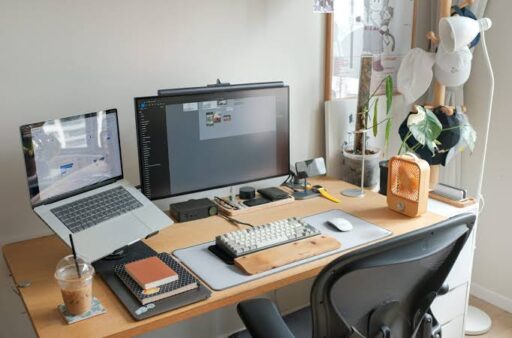
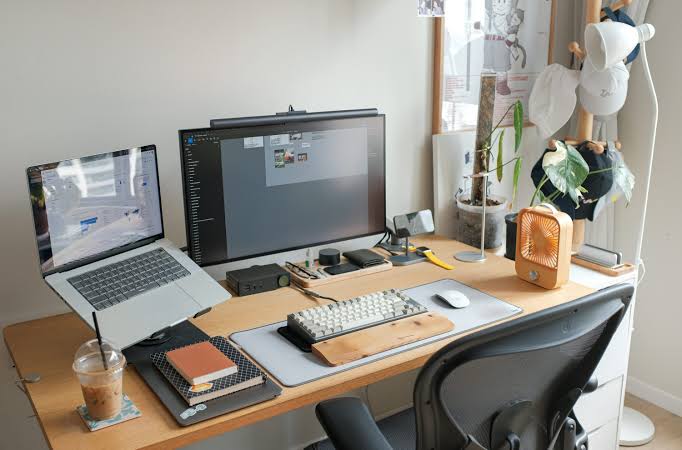

A useful desk gadget should remove friction rather than create another problem to manage. It should not require constant troubleshooting, occupy unnecessary space or depend on an unreliable app for basic operation. The best accessories perform a clear function, fit naturally into an existing setup and continue working after the novelty disappears.
That standard eliminates many decorative gadgets and overcomplicated smart devices. What remains is a practical collection of tools that improve navigation, charging, lighting, communication, organisation and everyday productivity.
These ten desk gadgets may not transform an office into a futuristic command centre, but they solve real problems consistently.
1. Logitech MX Master 4
A mouse is one of the most frequently used objects on a desk, making small improvements especially noticeable. The Logitech MX Master 4 builds on the company’s productivity-focused design with precise tracking, quiet controls, a thumb wheel and customisable buttons.
The latest model adds configurable haptic feedback and an Actions Ring that provides quick access to frequently used shortcuts through Logitech’s Options+ software. Logitech also says the wireless connection is stronger than the previous generation, which matters in crowded desk environments where several Bluetooth and wireless devices operate together.
Its shape is designed for right-handed use, so it will not suit every buyer. For compatible users, however, the scroll wheel, side controls and multi-device functionality can reduce repetitive navigation across spreadsheets, browsers and creative software.
2. Keychron K3 Max Keyboard
Mechanical keyboards often become complicated projects involving switch modifications, firmware experiments and endless accessory purchases. The Keychron K3 Max avoids much of that complexity while retaining the advantages of a responsive mechanical keyboard.
Its low-profile 75% layout keeps the function row and arrow keys without occupying the space required by a full-sized keyboard. It supports wired USB-C, Bluetooth and 2.4GHz wireless connections, making it suitable for fixed offices and shared home setups. Keychron also provides QMK/VIA customisation for buyers who want to remap keys, although the keyboard remains functional without extensive configuration.
The compact size leaves more room for mouse movement while its multiple connection modes make switching between computers easier. A hot-swappable version also allows compatible switches to be replaced without soldering.
3. BenQ ScreenBar Halo 2
Traditional desk lamps consume surface space and can reflect directly from a monitor. The BenQ ScreenBar Halo 2 attaches to the upper edge of the display and directs light onto the desk rather than into the user’s eyes or across the screen.
BenQ’s specification lists more than 1,000 lux of centre illumination at a height of 50 centimetres, adjustable colour temperature and front-light colour rendering of Ra 95 or higher. The light also includes rear illumination designed to reduce the brightness contrast between the monitor and the surrounding room.
A wireless controller manages brightness and colour temperature without adding another control panel to the computer. The clamp supports a wide range of flat and curved monitors, although buyers should still check the listed thickness and curvature limits before ordering.
4. Anker 735 Charger
A desk covered with separate phone, tablet, laptop and accessory chargers quickly becomes difficult to manage. The Anker 735 Charger consolidates several of those adapters into one compact unit.
It includes two USB-C ports and one USB-A port, with up to 65W available when one compatible device is connected. When several devices are plugged in, the total power is divided across the active ports rather than delivering 65W through each connection.
That output is sufficient for many thin laptops, tablets, phones, earbuds and desk accessories, although high-performance notebooks may require a more powerful charger. Its real advantage is simplicity: one wall socket can handle several everyday devices without a bulky power strip filled with individual adapters.
5. CalDigit TS4 Thunderbolt Dock
Laptop desks often become cluttered with display adapters, card readers, network cables and external storage connections. The CalDigit TS4 brings those connections into one central dock.
The TS4 offers 18 ports, including Thunderbolt 4, USB-C, USB-A, DisplayPort, Ethernet, SD and microSD card readers, and audio connections. It can provide up to 98W of laptop charging and support a single display with resolution up to 8K, subject to the capabilities of the connected computer and operating system.
It is more expensive than a basic USB-C hub and unnecessary for a laptop that only needs a mouse and one monitor. For a permanent workstation with several peripherals, however, one cable can connect power, networking, storage, displays and accessories at the same time.
6. Elgato Stream Deck Neo
The Elgato Stream Deck Neo looks like a tool intended only for livestreamers, but its customisable buttons can support ordinary office work just as effectively.
The device has eight LCD keys, an information display and touch controls for moving between pages. Each key can launch an application, open a folder, paste prepared text, control music, manage a meeting or trigger a sequence of actions. Elgato’s drag-and-drop software supports Windows and macOS and allows different profiles to appear for different workflows.
Its value depends on repetition. A task performed once a month does not need a dedicated button, but actions repeated dozens of times each day can become noticeably easier. Sales teams, editors, designers and customer-support professionals can assign common responses, meeting controls or project shortcuts to clearly labelled keys.
7. Logitech Brio 500 Webcam
Built-in laptop cameras often produce an unflattering angle when the computer is positioned for comfortable typing. A separate webcam allows the lens to remain at eye level while the laptop, keyboard and monitor are arranged independently.
The Logitech Brio 500 provides Full HD 1080p video, automatic light correction and auto-framing through supported Logitech software. Its Show Mode allows the camera to be tilted downward when documents or physical objects need to be displayed during a call.
A built-in privacy shutter provides a simple physical way to cover the lens between meetings. It does not offer the resolution of a premium 4K camera, but 1080p remains sufficient for most video-conferencing platforms and ordinary remote work.
8. Twelve South Curve Flex Laptop Stand
A laptop stand is one of the least complicated desk upgrades, yet it can significantly improve screen positioning. The Twelve South Curve Flex raises the computer and allows its height and viewing angle to be adjusted.
Lifting a laptop closer to eye level can create a more natural monitor position, especially when the device is paired with an external keyboard and mouse. The Curve Flex also folds for transport, making it more practical than a rigid stand for workers who move between home, office and travel setups.
The product is marketed primarily for MacBooks, so compatibility should be checked before placing another laptop model on it. It also works best as part of a desktop arrangement rather than for direct typing, since raising the screen also raises the keyboard.
9. Time Timer MOD
Digital timers are available on every phone and computer, but checking them can lead directly into notifications, messages and browser tabs. The Time Timer MOD provides a dedicated visual countdown without introducing another screen.
The desktop-sized timer represents the remaining portion of a period with a coloured disc that gradually disappears. The standard MOD is designed around a 60-minute interval and can provide an audible alert when time expires.
Its simplicity makes it useful for focused work sessions, meetings, writing periods and scheduled breaks. There is no account, subscription or notification system to manage. The user sets the dial, begins working and can understand the remaining time with a quick glance.
10. Samsung Portable SSD T9
Cloud storage is convenient, but transferring large folders, video projects or local backups can still be faster and more predictable with physical storage. The Samsung Portable SSD T9 provides a compact place for files that need to move between computers or remain available without an internet connection.
The T9 uses a USB 3.2 Gen 2×2 interface and is rated for sequential read speeds of up to 2,000MB per second. Samsung offers 1TB, 2TB and 4TB capacities, along with hardware encryption support and drop resistance of up to three metres under its stated test conditions. Actual transfer speeds depend on the computer, port, cable and file type.
The drive is particularly useful for creative projects, archived client files and secondary backups. It cannot replace a complete backup strategy, but it provides a straightforward layer of local storage without requiring a permanent desktop enclosure.
The Best Desk Gadgets Solve Small Problems Repeatedly
A successful desk setup does not need every available accessory. It needs a small number of reliable tools selected around the work being performed.
A dock offers little value when only one cable is connected. A shortcut controller becomes unnecessary when workflows rarely repeat. A portable SSD may remain unused when every file is small and cloud-based. The right gadget is therefore not the most advanced option but the one that removes a recurring inconvenience.
The ten products above succeed because their purposes are easy to understand. They improve an action already happening at the desk rather than inventing another routine. Once installed, most can fade into the background and quietly make the workday more efficient which is exactly what a desk gadget should do.