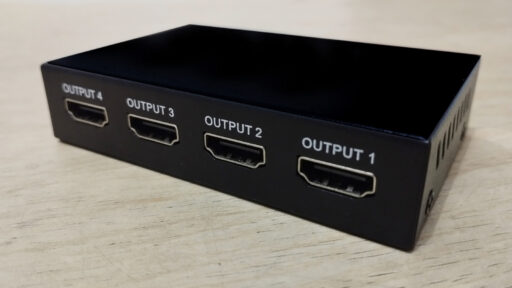
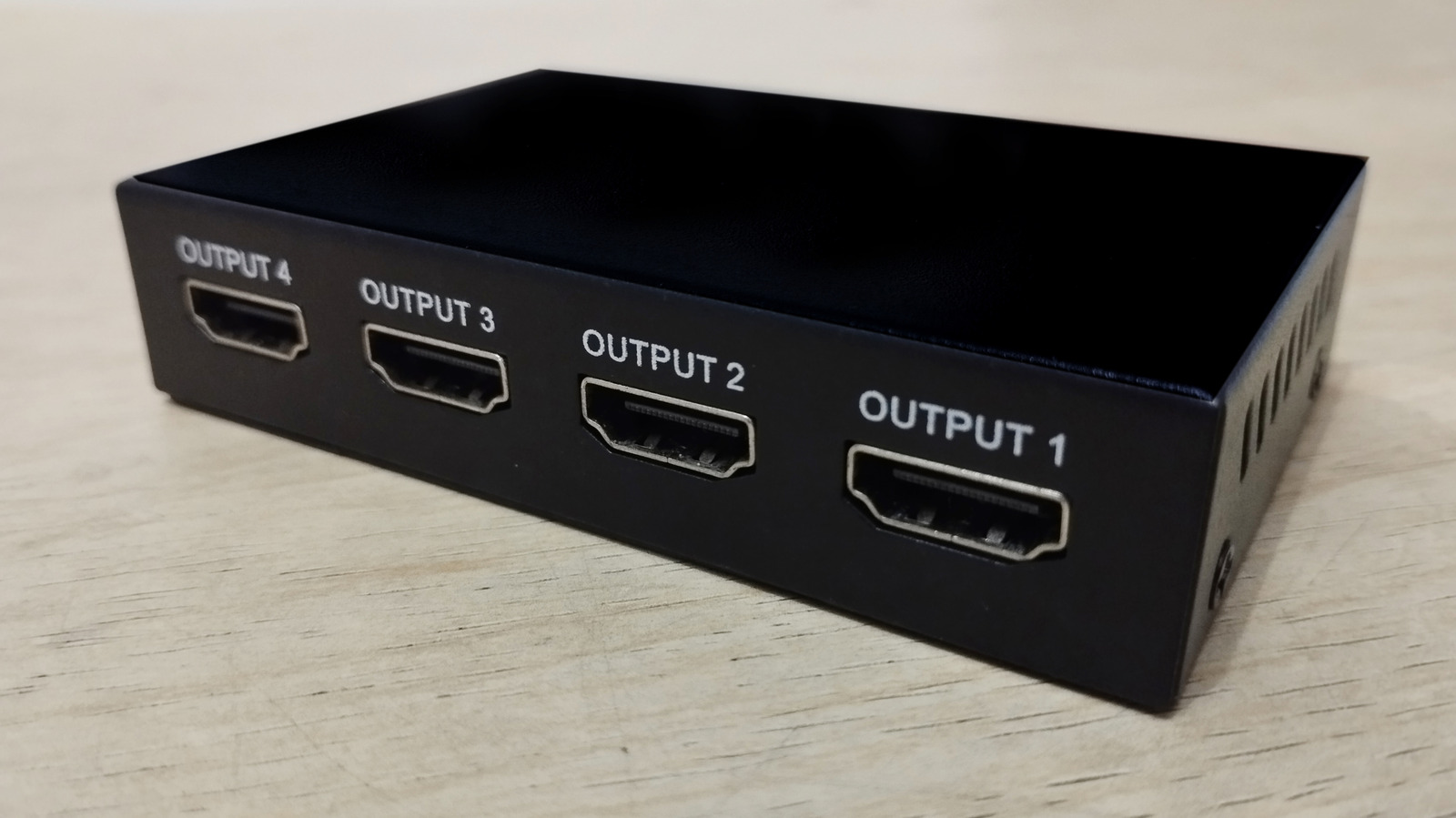

An HDMI splitter seems like a simple solution when one video source needs to appear on two or more screens. It accepts a single HDMI input and duplicates that audio-video signal across several HDMI outputs. This can be useful for showing the same presentation on multiple monitors, sending a streaming device to two televisions or displaying identical content throughout a commercial space.
However, an HDMI splitter is not always as flexible or reliable as it first appears. Differences between screens, unsupported video formats, copyright protection and additional hardware can create unexpected problems. A low-quality splitter may work with a basic 1080p signal but fail when the system attempts to carry 4K video, HDR, high refresh rates or advanced audio formats.
Before installing one, a buyer should understand the following four disadvantages and determine whether a splitter, HDMI switch, matrix switcher or professional distribution amplifier is the correct device.
1. All Displays May Be Limited to the Same Output Format
One of the biggest disadvantages of using an HDMI splitter is that every connected display usually receives the same video and audio signal. The splitter does not normally create a separate optimised output for each television or monitor.
This becomes a problem when the connected displays have different capabilities. For example, one television may support 4K resolution at 120Hz with HDR, while a second display supports only 1080p at 60Hz. A basic splitter may force the source to use a format that both screens can accept. In many installations, that means the more capable display cannot use its full resolution, refresh rate, colour depth or HDR performance.
The behaviour is connected to Extended Display Identification Data, commonly called EDID. A display uses EDID to tell a source which resolutions, frame rates, colour formats and audio capabilities it supports. The Extron guide to understanding EDID explains how this information is communicated between source and display equipment. Professional distribution systems often include dedicated EDID management because communication becomes more complicated when several screens are connected to one source.
An inexpensive splitter may copy the EDID from one output, combine information from multiple screens or default to a common format. The exact behaviour depends on its design. If the wrong television is detected as the primary display, the entire system may fall back to a lower-quality signal.
Some advanced splitters include scaling on individual outputs. Such a device may send 4K to one screen while converting another output to 1080p. Basic models usually do not provide this capability. Buyers therefore need to check for independent output scaling rather than assuming that every product labelled “4K splitter” can optimise mixed-resolution displays.
2. The Splitter Can Restrict Resolution, HDR and Refresh Rate
Every component in an HDMI signal path must support the required bandwidth and features. The source, splitter, cables and displays must all be capable of carrying the selected video format. A single weaker component can restrict the entire system.
A splitter advertised for 4K does not necessarily support every type of 4K signal. Some older products accept 4K only at 30Hz, while others handle 4K at 60Hz but may not support full chroma sampling, high colour depth, variable refresh rate or specific HDR formats. This difference can become noticeable with modern gaming consoles, powerful computers and premium media players.
The HDMI Licensing Administrator explains that certified Ultra High Speed HDMI cables are tested for features associated with high-bandwidth applications, including 4K, 8K, HDR, variable refresh rate and eARC. Adding a splitter between certified cables does not guarantee those features will continue working unless the splitter itself supports the necessary data rate and functions.
High-performance professional distribution amplifiers clearly state their maximum resolution, frame rate, colour sampling and copy-protection support. For example, Crestron’s HD-DA4-4KZ-E distribution amplifier specifies support for 4K60 video, HDR, selectable HDCP handling and EDID management. This level of detail is important because the word “splitter” alone says very little about actual performance.
A limited splitter may cause the source to lower its output automatically. In other cases, the screen may show intermittent blackouts, image flickering, coloured noise or no signal. These problems may become more frequent as resolution, refresh rate and cable length increase.
For a basic 1080p television system, the limitation may never become visible. For a gaming, home-cinema or professional display installation, it can prevent expensive equipment from delivering the performance for which it was purchased.
3. HDCP Can Cause Black Screens and Playback Errors
HDMI systems often use High-bandwidth Digital Content Protection, or HDCP, to protect copyrighted films, television programmes and other premium media. The source and every compatible device in the signal chain must complete a successful authentication process before protected content can be displayed.
The splitter becomes another participant in this process. If it supports an older HDCP version, handles authentication incorrectly or cannot communicate reliably with all connected displays, protected video may fail even though ordinary desktop content or unprotected media still works.
Intel’s official HDCP compatibility guidance notes that the source, splitter, cables and receiving display all need appropriate HDCP support for protected 4K content. This is why a setup may show a computer desktop correctly but produce a black screen when Netflix, a UHD Blu-ray disc or another protected source begins playback.
Problems can also occur when one display supports the required HDCP version and another does not. The source may refuse to send protected content to the complete system, even if one screen would have been capable of showing it independently.
Professional HDMI distribution amplifiers address this issue with continuous HDCP authentication and controlled EDID handling. Extron’s HDMI distribution amplifier range, for example, includes technologies designed to manage EDID communication and authenticate encrypted content across several displays.
A consumer purchasing a low-cost splitter may find only vague claims such as “HDCP compatible” on the packaging. That description is not sufficient for a demanding installation. The exact supported HDCP level, resolution, frame rate and number of simultaneous displays should be confirmed before purchase.
4. More Hardware Creates More Failure Points
An HDMI splitter adds another powered device, additional HDMI ports and at least one extra cable to the system. Every new connection creates another possible source of failure.
An active splitter normally requires external power so that it can receive, process and distribute the signal. If its power adapter fails or becomes disconnected, every connected display may lose the picture at the same time. This is different from a direct HDMI connection, where fewer components stand between the source and screen.
Cable quality and distance also become more important. The source-to-splitter cable may work correctly, while one of the output cables produces occasional signal loss because it is too long, poorly shielded or unable to carry the required bandwidth. Diagnosing the problem can be difficult because the same source may work on one display but fail on another.
Professional HDMI distribution equipment may include input equalisation, output status indicators, signal monitoring and controlled power delivery. Extron’s distribution amplifier information describes features such as cable equalisation, EDID management and power on individual outputs that are intended to improve integration reliability. Basic splitters may offer none of these troubleshooting tools.
A splitter can also create operational inconvenience. Turning one television on or off may trigger a new HDMI handshake, causing another screen to blink or temporarily lose sound. The exact effect depends on the splitter, source and displays, but mixed equipment frequently makes HDMI behaviour less predictable.
The additional hardware can therefore reduce simplicity even though the original reason for buying a splitter was to simplify content distribution.
An HDMI Splitter Does Not Create an Extended Desktop
Another expectation should be clarified before installation. A conventional HDMI splitter duplicates one signal. It does not normally create separate workspaces or independent images.
Connecting a laptop to a two-output splitter will usually show the same desktop on both monitors. It will not allow one application to appear on the first display and another application to appear on the second. An extended desktop requires two independent display outputs from the computer, a compatible docking station or another multi-display solution.
The same principle applies to entertainment systems. A splitter cannot show one channel on one television and a different channel on another because both outputs originate from the same source signal.
A matrix switcher is more appropriate when multiple sources need to be routed independently to multiple screens. An HDMI switch performs the opposite function of a splitter by allowing several sources to share one display.
Is an HDMI Splitter Still Worth Using?
An HDMI splitter remains useful when every screen needs to show identical content and the displays have similar capabilities. It can work well for presentations, waiting rooms, classrooms, security-monitoring areas and simple home entertainment systems.
The correct model must match the highest required resolution, refresh rate, HDR format, audio format and HDCP version. Buyers should also consider whether the installation needs EDID controls, output scaling or support for long cable distances.
The main disadvantages appear when different televisions are mixed, protected 4K content is played or high-bandwidth gaming features are expected. In those situations, a professional distribution amplifier or matrix system may provide more predictable performance than a basic consumer splitter.
An HDMI splitter is therefore not inherently a poor choice. Its value depends on the system around it. Careful compatibility checks can prevent lower resolution, black screens, unstable connections and unnecessary troubleshooting after installation.