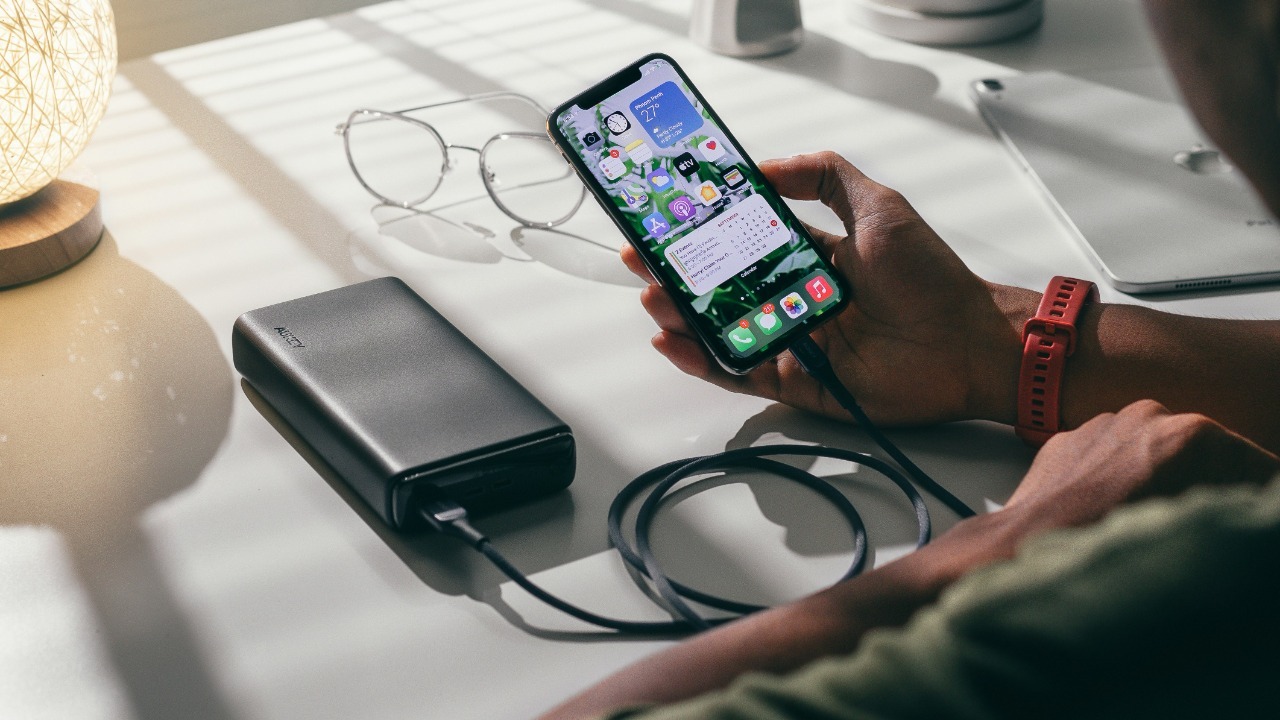

A high-wattage wall charger does not automatically make every power bank recharge quickly.
The charger, cable and power bank must all support a compatible charging standard and power level. If one part of that chain is limited, the entire connection falls back to a slower rate. Heat, shared charging ports and the battery’s own protection system can reduce the speed even further.
This is why a 65-watt or 100-watt charger may still take several hours to refill a portable battery. The number printed on the charger represents its maximum potential output, not the amount every connected device will automatically receive.
These five issues are the most common reasons a power bank charges slowly—and most can be identified without buying a new battery.
1. The Power Bank Cannot Accept the Charger’s Full Wattage
The first specification to check is the power bank’s input rating, not the charger’s maximum output.
A wall adapter may advertise 100 watts, but a power bank with an 18-watt USB-C input cannot charge faster than approximately 18 watts. The battery’s internal charging circuit determines the maximum power it can safely accept.
Input and output ratings are also different. A power bank might deliver 30 watts to a phone while accepting only 18 watts when its own battery is being recharged. Another model may support 65-watt input through one USB-C port but only 10 watts through its older Micro-USB connection.
The specifications are usually printed near the ports or listed in the manual. The correct line may look like “USB-C Input: 5V/3A, 9V/3A, 12V/3A,” with each voltage-and-current combination representing a supported charging level.
USB Power Delivery allows a charger and connected device to negotiate an appropriate voltage and current rather than sending the charger’s maximum output automatically. The USB Implementers Forum’s Power Delivery overview explains that the standard provides flexible power delivery over a compatible USB connection.
A power bank that does not support USB Power Delivery, or supports only an older low-wattage version, may fall back to basic 5-volt charging even when connected to a powerful modern adapter.
The solution is to compare three figures: the charger’s supported output profiles, the power bank’s maximum input and the input rating of the specific port being used. Faster charging is possible only when those specifications overlap.
2. The Cable Is Limiting the Connection
The cable is often the hidden bottleneck.
USB-C connectors look similar, but the cables behind them do not all carry the same amount of power. Some inexpensive or older cables support basic charging only. Others can handle higher current but lack the electronic identification required for the highest USB Power Delivery levels.
A 100-watt charger connected through a low-rated cable may therefore behave like a much weaker charger. The connection can fall back to a lower power profile even though neither the wall adapter nor the power bank is defective.
Cable length and condition also matter. Very long, thin or damaged cables create greater electrical resistance, which wastes some energy as heat and reduces the voltage reaching the power bank.
Belkin’s charging guidance notes that older, damaged or insufficiently rated cables can restrict fast charging even when the adapter itself is powerful enough. (Belkin’s guide to slow charging)
The easiest test is to replace the cable with a short, known-good USB-C cable rated for the required wattage. For a power bank accepting more than 60 watts, the user should confirm that the cable supports the required USB Power Delivery level rather than relying only on the fact that it has USB-C plugs.
A cable should be replaced when its connectors feel loose, charging repeatedly starts and stops, the insulation is damaged or the plug becomes unusually warm.
3. The Charger and Power Bank Do Not Support the Same Fast-Charging Protocol
Fast charging requires more than sufficient wattage. Both devices must speak the same charging “language.”
USB Power Delivery is widely used, but some products rely on proprietary or additional systems such as Qualcomm Quick Charge, Samsung’s charging profiles or USB PD Programmable Power Supply.
When the charger and power bank cannot agree on a faster profile, they usually fall back to a safe basic rate.
USB-IF explains that devices, chargers and cables must all support the relevant Power Delivery and Programmable Power Supply functions to receive the complete fast-charging benefit. (USB-IF’s certified fast-charger guidance)
This problem is common when an older USB-A fast charger is paired with a newer USB-C power bank. The adapter may have charged a particular phone rapidly through a proprietary standard, but it may not provide the USB-C Power Delivery profile needed by the power bank.
The same issue can occur with multiport laptop chargers. One port may support 100 watts with USB PD, while another is limited to 15 or 18 watts. Port labels and the charger’s output table should reveal the difference.
Using the power bank manufacturer’s recommended charging standard is more important than matching the highest advertised wattage. A compatible 30-watt USB PD charger can refill a power bank faster than an incompatible 65-watt adapter that falls back to basic charging.
4. The Charger Is Sharing Power Between Multiple Ports
A charger’s advertised wattage may represent its total combined output rather than the power available from every port simultaneously.
A dual-port charger labelled “65W” might provide the full 65 watts when one device is connected. Once a second cable is plugged in, it may divide that power—for example, sending 45 watts to one port and 20 watts to the other.
Some chargers renegotiate their output whenever another device is added or removed. This can cause the power bank’s charging indicator to briefly reset before continuing at a lower rate.
Power banks behave similarly when several devices are connected. Belkin confirms that on supported multiport models, the total available power is shared across active connections, which can reduce the speed available to each device. (Belkin’s explanation of shared power output)
Pass-through charging can create an additional limitation. This occurs when the power bank is charging from the wall while simultaneously powering a phone, tablet or another device.
The incoming energy must then be divided between refilling the internal battery and supplying the connected equipment. Some power banks intentionally reduce both charging rates to control heat, while others disable fast charging completely during pass-through operation.
For the quickest recharge, the power bank should be the only device connected to the wall charger. Other cables should be removed, even when nothing appears to be attached at the opposite end, because some chargers redistribute power as soon as a port becomes active.
5. Heat and Battery Protection Are Reducing the Speed
Lithium-ion batteries cannot safely accept their maximum charging power under every condition.
A power bank’s battery-management system monitors temperature, voltage and charge level. When the battery becomes too hot or too cold, the controller may reduce current or temporarily stop charging.
Heat can come from the room, direct sunlight, the wall charger, the power-conversion process or pass-through charging. Placing a power bank under a pillow, inside a bag or on a warm car dashboard traps that heat and makes throttling more likely.
Manufacturers acknowledge that charging systems may lower output when temperatures rise to protect battery safety and long-term performance. Anker, for example, explains that thermal management can trigger slower charging behaviour when a power bank becomes warm.
Charging naturally slows near full capacity as well. A power bank may draw its highest wattage when the battery is low and then reduce the rate after reaching roughly 70 to 80 percent. The final portion can take disproportionately longer because the charging system must carefully limit voltage and heat.
This tapering is normal. It prevents the battery from being stressed by maintaining maximum charging power all the way to 100 percent.
The power bank should be charged on a hard, ventilated surface at a moderate room temperature. A case should be removed when it traps heat, and the battery should be allowed to cool before charging if it has just been used heavily.
How Long Should a Power Bank Take to Charge?
The answer depends on usable capacity, charging losses and the power bank’s accepted input.
A 20,000mAh power bank contains much more energy than a phone battery and will naturally take longer to refill. Its capacity is commonly stated using the battery cells’ internal voltage, so the printed milliamp-hour figure cannot be divided directly by the charger’s current to obtain an exact charging time.
Power conversion also creates losses. Some incoming electricity becomes heat inside the charger, cable and power bank rather than being stored in the battery.
A model accepting approximately 18 watts may require several hours to refill, while a newer unit accepting 65 or 100 watts can be substantially faster during the early and middle stages. The final stage will still slow as the battery approaches full charge.
The most reliable estimate is the manufacturer’s stated recharge time using a specified adapter and cable. That figure should be treated as an ideal result, not a guarantee under every temperature or usage condition.
How to Find the Bottleneck
The most effective troubleshooting approach is to change one component at a time.
The user should first disconnect every other device and connect the power bank directly to the charger’s highest-output USB-C port. A short, correctly rated cable should then be tested.
The power bank’s input specification should be compared with the charger’s printed output profiles. If the power bank requires USB PD at 9, 12, 15 or 20 volts, the charger must list a matching profile.
Ports should also be inspected for dust, looseness or damage. Anker’s troubleshooting guidance recommends trying a different adapter, cable and outlet and checking charging ports for debris or damage when a power bank does not charge correctly. (Anker’s power-bank troubleshooting guide)
A USB-C power meter can show the approximate voltage, current and wattage being delivered, although low-cost meters may not be perfectly accurate. The reading is most useful for comparison—for example, determining whether a cable change raises charging power from 8 watts to 25 watts.
Slow Charging Can Also Signal Battery Wear
A power bank that once charged normally but has become dramatically slower may have an ageing battery, damaged port or failing internal charging circuit.
Lithium-ion cells gradually lose capacity and performance with use and time. Frequent exposure to heat, long periods at full charge and repeated deep discharges can accelerate that decline.
The device should no longer be used if it swells, develops a chemical smell, becomes excessively hot, cracks its enclosure or shows signs of leakage. A damaged power bank should not be opened or placed in household rubbish; it should be taken to an approved battery-recycling or electronic-waste facility.
Resetting may fix a temporary controller issue on some models, but it will not repair a degraded cell or physically damaged connector.
The Fast Charger Is Only One Part of the System
A power bank’s charging speed is determined by the weakest part of the connection.
The adapter must provide the correct protocol and voltage. The cable must safely carry the required current. The selected input port must support fast charging, and the power bank’s battery-management system must consider the temperature and charge level safe.
When any of those conditions is missing, the system reduces power rather than forcing the charger’s maximum wattage into the battery.
Before replacing the power bank, the user should test a compatible USB Power Delivery charger, a properly rated cable and an empty high-output port. The battery should also be charged in a cool, ventilated place without powering other devices at the same time.
In many cases, the “slow” power bank is working normally. It is simply receiving less power than the charger’s headline number suggests.