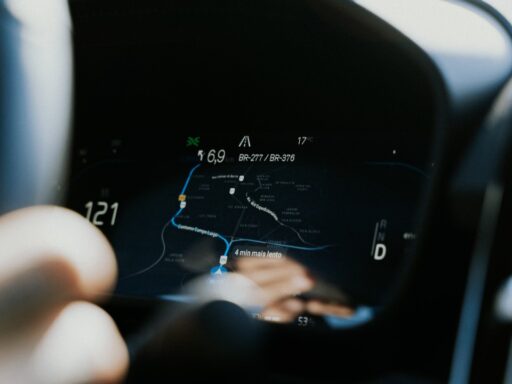


Google Maps is no longer useful to electric-vehicle owners only for finding an address. It can identify compatible chargers, estimate how much battery a journey will consume and recommend routes that use less energy.
The most advanced functions vary by vehicle. Some are available in the ordinary Android and iPhone applications, while deeper battery integration may require Android Auto or a vehicle with Google Maps built directly into its infotainment system.
That distinction matters because not every EV sends its live battery information to Google Maps. A phone may know the driver’s selected model and plug type, but an integrated system can sometimes access the vehicle’s actual state of charge and energy consumption.
These three features are the most useful ones EV owners should configure before their next long journey.
1. Save the EV Model and Compatible Charging Plugs
The first step is creating a vehicle profile in Google Maps.
Drivers can identify their vehicle as electric and, where supported, select its make, model and compatible connector types. This allows Maps to reduce the number of irrelevant charging results.
Without a configured profile, a search for “EV charging stations” may show locations containing connectors the car cannot use. A driver could arrive at a station only to discover that it has the wrong plug or provides a charging speed too low for a practical road-trip stop.
Google’s official vehicle-profile instructions explain that electric and plug-in hybrid drivers can search specifically for stations offering their saved plug types. Users can still select “Any plugs” when they want to see every nearby option.
A vehicle profile can generally be configured by opening Google Maps, tapping the profile picture, entering Settings and finding the vehicle or navigation options. The exact menu wording can vary by platform and application version.
After selecting an EV, the driver should save the connector types the car can actually use. These may include CCS, NACS, CHAdeMO or a regional AC connector.
Adapters complicate the choice. An EV may technically access an additional connector with an approved adapter, but not every station supports every adapted vehicle. The driver should therefore select only charging types that can be used reliably.
Charging Results Can Be Filtered by Speed
Connector compatibility is only part of the search.
Google Maps can show charging speeds and allow users of supported systems to filter results by charger type, network and power level. Google’s guidance for Maps built into electric vehicles confirms that drivers can narrow charging results by connector, payment network and charging speed.
This can prevent an important road-trip mistake.
A Level 2 charger may be useful at a hotel where the car will remain parked overnight. The same charger could add hours to a journey when the driver expected a high-power DC fast charger.
The station listing may also include opening hours, user photographs, reviews and nearby businesses. Those details help determine whether a location has toilets, food or shelter during the charging stop.
Google has also introduced AI-generated directions intended to explain where a charger is located within a complicated property. A listing might indicate that the chargers are behind a supermarket or inside a particular level of a parking structure rather than simply directing the driver to the property entrance.
Availability Information Can Prevent a Wasted Stop
Some charging-station listings show how many connectors are currently available.
That information can help a driver avoid a site where every stall is occupied. Google has also developed predicted charger availability, which estimates how busy a location may be around the time the driver arrives rather than showing only its present status. The predictive feature was announced in late 2025 as a way to reduce queues during busy travel periods.
Availability data is not universal. It depends on the charging operator sharing accurate information with Google, and a stall shown as available may still be blocked, damaged or unable to communicate properly with the car.
Drivers should therefore read recent reviews and identify a backup location, particularly when approaching a station with a low battery.
2. Use Battery-Aware Route Planning and Automatic Charging Stops
The most valuable EV feature is Google Maps’ ability to build charging into a longer route.
In March 2026, Google expanded AI-powered battery predictions to more than 350 Android Auto-compatible EV models across over 15 brands in the United States. The driver adds the EV’s details to Maps, enters the current charge level and selects a destination from the car’s display.
Maps then estimates how much battery the journey will use. When charging is required, it can recommend where to stop, how long to remain connected and how much battery should remain upon arrival.
Google’s official Android Auto EV planning announcement says the calculation considers the selected vehicle, traffic and other journey conditions. It also updates the expected arrival time to include charging.
This is a major improvement over manually searching for chargers and guessing whether they fall within the vehicle’s remaining range.
Maps Can Estimate the Battery Remaining at the Destination
An ordinary route estimate tells a driver the distance and arrival time. Battery-aware navigation adds another essential figure: the expected state of charge at the destination.
That information can change the way a route is evaluated.
Arriving with 15 percent may be acceptable when the destination has dependable overnight charging. The same arrival level may be risky when travelling to a rural location with no nearby station.
Cars with Google Maps built in can often provide the most accurate predictions because the navigation system may receive live information directly from the vehicle. Google states that compatible integrated systems can display estimated battery remaining upon arrival and automatically insert charging stops when the destination cannot be reached safely.
The system may also update the estimate as conditions change. High speed, congestion, hills, cold weather and climate-control use can affect real consumption.
A prediction remains an estimate. Drivers should maintain a reasonable reserve instead of planning to reach every charger with one or two percent remaining.
Charging Stops Are Chosen for the Complete Journey
The closest charger is not always the best charger.
A route planner must consider how far the vehicle can travel, whether the station is compatible, how quickly the battery can charge there and whether the stop creates an unnecessary detour.
Google has explained that its routing algorithms evaluate possible charging combinations to recommend a practical overall journey. Earlier versions of this feature were limited mainly to vehicles with Google built in, but the 2026 Android Auto expansion makes similar planning available to a much wider selection of cars.
The recommended stop may not require charging to 100 percent. Fast charging usually slows considerably as a battery approaches a high state of charge, so two shorter sessions can sometimes produce a faster total journey than one long session.
Maps can recommend a target charging duration and include that time in the estimated arrival.
Not Every Android Auto EV Is Supported Yet
Android Auto alone does not guarantee battery-aware planning.
The car model must appear among Google’s supported vehicles, and availability may depend on the country, software version and rollout status. Some drivers may need to enter the starting percentage manually because the phone projection system does not receive live battery data from the car.
The deeper version available in cars with Google built in may calculate automatically because it communicates directly with vehicle systems.
Drivers should confirm how their particular implementation works before relying on it during a demanding trip. A short local test can reveal whether Maps updates the battery estimate accurately and whether charging stops appear as expected.
3. Select Energy-Efficient Routes Designed for an EV
The fastest route is not always the route that consumes the least battery.
Google Maps can recommend an energy-efficient alternative and mark it with a leaf symbol. The system considers factors such as traffic, road type and elevation while adapting its estimate to the selected vehicle type.
That last detail is important because the most efficient route for an electric car may differ from the best route for a diesel vehicle.
EVs can recover some energy during deceleration through regenerative braking and often perform efficiently in moderate stop-and-go driving. High-speed motorway travel, by contrast, can increase aerodynamic drag and reduce range sharply.
Google’s eco-friendly routing guide confirms that Maps estimates energy efficiency separately for electric, hybrid, gasoline and diesel vehicles. When the option is enabled, it may recommend a lower-consumption route when that choice does not create an unreasonable delay.
The Leaf Route Shows the Efficiency Trade-Off
When Maps presents an energy-efficient route, the driver can compare it with the fastest alternative.
The application may show how much energy the lower-consumption route is expected to save and whether it adds time. A slightly slower route could be worthwhile when it avoids an additional charging stop or allows the vehicle to reach a destination with a safer battery reserve.
Google explains in its Maps feature guide that tapping the route marked by the leaf reveals the estimated energy saving and the time difference compared with the fastest option.
The recommendation is especially valuable during cold weather or when public chargers are scarce. Saving even a modest amount of battery can provide useful flexibility.
Efficiency routing can normally be enabled through Route Options or navigation settings by selecting the preference for fuel- or energy-efficient routes.
The Most Efficient Route Is Not Always the Best Choice
The leaf route is a prediction rather than a requirement.
It may use slower roads, include more junctions or take the vehicle through areas where the driver would rather not travel. Weather, road closures and local knowledge can also make another option preferable.
The driver should compare distance, arrival time, charging availability and expected remaining battery rather than automatically accepting the leaf icon.
A faster motorway route may be better when a dependable high-speed charger is available. An efficient secondary road may be better when the destination has limited charging and preserving battery is more important than arriving a few minutes earlier.
Google Maps Still Does Not Replace a Dedicated EV App in Every Situation
Google Maps has become much more capable, but EV drivers should not assume it contains complete information for every charging network.
Operator applications may provide more accurate status, pricing, authentication and fault information. Some networks also require their own application or account to begin a session.
Specialized services such as PlugShare can be valuable for recent user reports, while A Better Routeplanner offers detailed control over battery assumptions, weather, speed and charging strategy.
Google Maps is strongest as a familiar navigation tool that combines traffic, destinations, businesses and increasingly capable EV planning in one interface.
For ordinary journeys, it may be the only application required. On remote or cross-country trips, using it alongside a network application and a backup planning tool remains sensible.
Configure the Features Before the Battery Is Low
The three most useful Google Maps features for EV owners are compatible-charger filtering, battery-aware route planning and energy-efficient routing.
Together, they solve different parts of electric driving.
The vehicle profile removes incompatible stations from search results. Battery predictions determine whether charging is needed and recommend practical stops. Eco-friendly routing can reduce consumption before an additional stop becomes necessary.
Drivers should configure the EV model, plug types and routing preferences at home rather than attempting to learn the menus while travelling. They should also confirm whether their car supports Google’s newer Android Auto battery-planning system or the deeper integration provided by Google built in.
These tools do not eliminate the need for planning. Charger faults, weather and unexpected detours can still change a journey.
They do, however, turn Google Maps from a basic navigation application into a much more useful EV travel assistant one capable of finding the right plug, predicting the battery at arrival and helping the driver use less energy along the way.