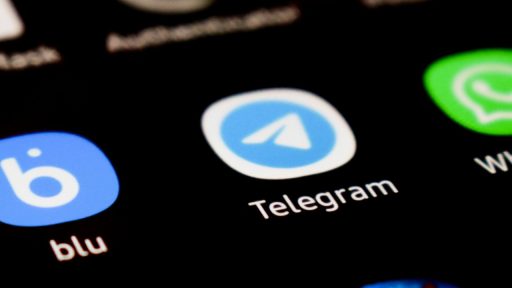

Telegram is giving its Android app its boldest visual overhaul yet, replacing the old utilitarian look with a glossy Liquid Glass aesthetic and a new navigation structure that mirrors its iOS client. The redesign leans into blur, translucency, and softer shapes, while also reshuffling core controls to a bottom bar that feels far more in line with modern Android design. For users, it is less a coat of paint and more a rethinking of how conversations, calls, and settings fit together on a screen.
The update also tightens Telegram’s cross‑platform identity, bringing Android closer to the Liquid Glass interfaces that arrived on iOS earlier this year and tying the visual refresh to new AI‑driven features. It is a clear signal that the company now treats design as a first‑class feature, not an afterthought, and that it wants Android users to feel they are getting the same premium experience as anyone on an iPhone.
The new Liquid Glass look on Android
The most striking change is the Liquid Glass treatment that now runs across Telegram’s Android interface, turning once flat panels into layered, translucent surfaces with a subtle sense of depth. Chats, menus, and profile pages sit on top of blurred backgrounds that react to scrolling and motion, creating the impression of frosted glass floating above your wallpaper, a shift that aligns with earlier Liquid Glass work on iOS described in Telegram’s own update on Liquid Glass. On Android, that aesthetic now covers the main chat list, in‑chat toolbars, and secondary screens, so the app feels cohesive instead of a patchwork of old and new elements.
Under the hood, the effect is not just a static blur but a configurable light refraction system that lets users tune how intense the glassy look should be. In the app’s Settings, a slider controls the refraction strength, with higher values producing more pronounced distortion and depth, and lower values keeping things closer to a traditional flat UI. That level of control matters on Android, where devices range from budget phones to high‑refresh flagships, and it gives users a way to balance aesthetics with performance if heavier effects feel too demanding on older hardware.
Material Design 3 meets iOS‑style polish
Visually, the redesign walks a careful line between Google’s Material Design 3 guidance and Telegram’s own cross‑platform ambitions. The app now leans on rounded corners, updated typography, and more generous spacing that echo Material Design 3, but it layers those choices under the Liquid Glass blur and translucency that already define the iOS client. The result is an interface that feels at home on Android while still looking unmistakably like Telegram, rather than a generic system app.
At the same time, the company is not shy about borrowing some of iOS’s visual polish. The Android client now features softer, less boxy cards and floating panels that mirror the iPhone experience highlighted in early makeover coverage. Elements like the chat list, profile headers, and media previews adopt a more fluid, layered look, which makes the app feel more premium but also more consistent if you switch between platforms. For users who have long felt that Android got the “functional but plain” version of Telegram, this is a rare moment of visual parity.
From hamburger menu to bottom navigation
The redesign is not just about glassy surfaces, it also reshapes how you move around the app. Telegram Android has finally retired the classic Hamburger side menu, replacing it with a four‑tab bottom navigation bar that surfaces core sections like Chats, Calls, Contacts, and Settings in a way that is easier to reach on tall phones. Reports on the Telegram Android update note that this structure closely follows the layout already seen on iOS, which should make life simpler for anyone bouncing between devices.
That shift is part of a broader move away from hidden drawers and toward more discoverable controls. The new bottom bar and tab layout, described as a key part of the Liquid Glass rollout, bring Telegram in line with other major messaging apps that have already abandoned the Hamburger pattern. For long‑time users, losing that side menu will take some adjustment, but it should ultimately reduce the number of taps needed to reach frequently used sections and make the app more intuitive for newcomers who expect bottom navigation on Android.
Blur, translucency, and customization
Beyond the headline Liquid Glass effect, the update introduces a series of smaller visual tweaks that add up to a more modern, less rigid interface. Backgrounds now use a combination of Blur and translucency to create a layered feel, with chat bubbles and panels appearing to float above the wallpaper instead of sitting on opaque blocks. This is especially noticeable in media‑heavy chats, where images and videos feel more integrated into the overall design rather than boxed off in rigid frames.
Customization remains central to Telegram’s pitch, and the new design respects that by letting users fine‑tune how dramatic the glass effect should be. The same light refraction slider described in Indonesian coverage of the light refraction feature gives Android users granular control over the intensity of the blur, which can be dialed down for a cleaner, more performance‑friendly look or cranked up for a maximalist, almost holographic interface. That flexibility is crucial on a platform where devices vary wildly in GPU power and display quality, and it helps ensure the redesign feels like an upgrade rather than a burden.
AI Summaries and cross‑platform consistency
The Android refresh arrives in the same season as Telegram’s first major update of the year, which introduced AI Summaries and expanded Liquid Glass interfaces on iOS. In that earlier release, the company framed Summaries, New Design and More as a package that combined visual upgrades with smarter ways to catch up on long chats, and the Android redesign now brings that philosophy to Google’s platform. While the AI features themselves are not exclusive to any one OS, pairing them with a more polished interface helps position Telegram as a forward‑looking alternative to more conservative messaging apps.
Consistency across platforms is also a strategic priority. Official notes on Telegram highlight that Liquid Glass now appears in more parts of the app, including calls and the gift marketplace, and the Android rollout closes the gap that once left Google’s ecosystem feeling a step behind. That mirrors a broader trend in app development, where companies aim to eliminate differences between versions so that every user, regardless of device, has access to the same options, a goal echoed in documentation for other apps that talk about Eliminating disparities between platforms.