
A smart home can become complicated surprisingly quickly.
One app controls the lights. Another operates the thermostat. A third shows the security cameras, while yet another is needed to check whether the front door is locked.
Apple Home attempts to solve that problem by putting compatible accessories inside one ecosystem.
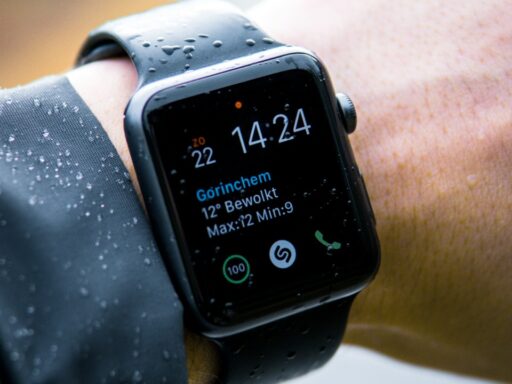
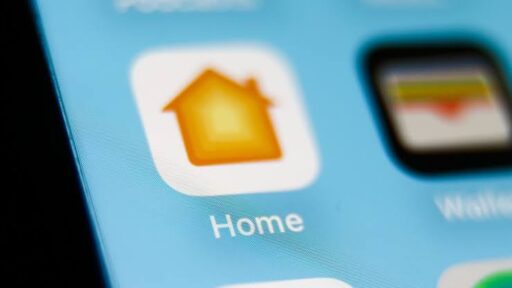
Using the Home app on an iPhone, iPad, Mac or Apple Watch, homeowners can control supported lights, locks, thermostats, cameras, plugs and other devices. Siri can provide voice control, while automations can make several devices work together.
The arrival of Matter has made this considerably more useful. Matter is designed to improve interoperability between smart-home ecosystems, including Apple Home, Google Home, Amazon Alexa and Samsung SmartThings.
Apple’s current documentation explains that Matter accessories can be paired and managed through the Home app alongside HomeKit accessories.
But which devices actually make a meaningful difference around the house?
These five categories are much more useful than buying smart gadgets simply because they connect to an iPhone.
1. A Smart Lock Can Eliminate the “Did I Lock the Door?” Problem
Few smart-home upgrades have such an obvious everyday purpose.
A compatible smart lock allows homeowners to check and control a door through Apple Home rather than relying entirely on a physical key.
Some newer models support Apple Home Key, which can place a digital house key inside Apple Wallet.
That changes the experience considerably.
Instead of opening a manufacturer’s application and waiting for it to connect, a homeowner can potentially unlock the door using an iPhone or Apple Watch.
Apple explains that Home Key can be added to Wallet for compatible locks, with Express Mode allowing supported doors to be unlocked without manually unlocking the device first.
That can be especially useful when someone’s hands are full of groceries.
Walk to the door.
Hold the Apple Watch or iPhone near the lock.
Enter.
The physical key can remain a backup rather than the primary way of getting inside.
Aqara’s Smart Lock U100 Is an Interesting Apple-Centric Option
One example is the Aqara Smart Lock U100.
It supports Apple Home and Apple Home Key while also offering fingerprint recognition, passwords and physical-key access.
That combination is important because a smart lock should not become useless just because someone’s phone battery dies.
Aqara says the U100 can store up to 50 fingerprints and supports Home Key alongside other entry methods.
Aqara Smart Lock U100 product information
For an Apple household, Home Key is arguably the standout feature.
The homeowner gets a familiar Wallet-based interaction rather than depending exclusively on a third-party smart-lock app.
2. A Smart Thermostat Can Automate Something That Actually Costs Money
Smart lights are convenient.
Heating and cooling can affect household expenses much more directly.
A compatible smart thermostat can allow someone to adjust temperature from Apple Home, create schedules and incorporate climate control into larger automations.
For example, an automation could reduce unnecessary heating or cooling when everyone leaves.
Another could prepare the house shortly before people normally return.
The usefulness is not simply:
“Hey Siri, change the temperature.”
It is allowing the house to react automatically.
The thermostat becomes part of the home’s logic rather than an isolated control panel on a wall.
Ecobee Works Well for More Complex Heating and Cooling Needs
Ecobee’s smart thermostats are particularly interesting because selected models work with Apple Home and can use additional room sensors.
That addresses a common thermostat problem.
The temperature beside the thermostat may be comfortable while a bedroom on another floor is considerably warmer or colder.
Room sensors provide more information about conditions elsewhere in the house.
Ecobee Smart Thermostat Premium
For homeowners, this can make climate automation substantially more useful than simply replacing a traditional thermostat with a touchscreen.
3. Smart Lights Become Much Better When You Stop Thinking About the App
Smart bulbs are often someone’s first smart-home purchase.
Unfortunately, they can also become one of the most annoying.
Nobody wants to pull out an iPhone, find an application, wait for it to connect and tap a button every time a room needs light.
The real advantage comes from automation.
Lights can switch on around sunset.
Hallway lights can operate at reduced brightness late at night.
Several lamps can be grouped into one scene.
A “Good Night” scene might switch off downstairs lights while locking the door and adjusting the thermostat.
This is where Apple Home’s scene and automation system becomes more valuable than the bulb itself.
Philips Hue Remains One of the Most Established Lighting Ecosystems
Philips Hue offers bulbs, light strips, lamps, switches and outdoor lighting that can be integrated into a much larger lighting system.
The Hue Bridge can connect the lighting ecosystem with Apple Home, while Matter support provides additional interoperability options.
Why use a bridge when some modern bulbs can connect directly?
Reliability and scale can matter.
Someone installing one smart bulb may not care.
Someone installing dozens of lights across a house may appreciate having a dedicated lighting network rather than putting every individual bulb directly onto Wi-Fi.
Hue also provides physical switches.
That is more important than it sounds.
A well-designed smart home should still work when someone does not want to talk to Siri or reach for a phone.
4. A Smart Plug Can Make an Ordinary Appliance Smarter
Not every appliance needs its own Wi-Fi connection.
Sometimes a smart plug is enough.
Place a compatible plug between an electrical outlet and an ordinary device, and Apple Home can control whether that device receives power.
That can work well with lamps, fans and other simple appliances that resume operating when power is restored.
A homeowner could say:
“Hey Siri, turn off the bedroom fan.”
Or create an automation that turns a lamp on shortly before sunset.
The smart plug can also become part of scenes involving unrelated products.
That interoperability is where the concept becomes useful.
Eve Energy Is Designed With Apple Home and Matter in Mind
Eve Energy is a smart plug that supports Matter and Thread.
Thread is particularly relevant because it is a low-power mesh networking technology designed for connected devices around the home.
Instead of every accessory needing a direct Wi-Fi connection, Thread devices can form a network where supported accessories help extend connectivity.
Eve Energy can also provide energy-consumption information through Eve’s own ecosystem.
That makes it useful for someone who wants more than remote on/off control.
A homeowner can gain a better understanding of how much electricity a connected device is consuming.
There is one limitation worth remembering.
Smart plugs work best with appliances that can safely be controlled simply by cutting and restoring power.
They are not appropriate for every electrical device.
5. A Security Camera Can Put Important Alerts on Devices You Already Carry
Home security is where ecosystem integration becomes particularly valuable.
A standalone security camera may send alerts through its own app.
An Apple Home-compatible camera can become part of the same environment used for other household devices.
With the appropriate setup, homeowners can view compatible camera feeds from Apple devices and incorporate camera-related activity into the broader smart-home experience.
Apple’s HomeKit Secure Video adds another layer.
Apple says compatible cameras can use a supported iCloud+ plan to securely record detected activity, with video analysis performed privately through the home hub before encrypted footage is stored in iCloud.
That privacy architecture is one of the strongest reasons an Apple user might deliberately choose a HomeKit Secure Video camera rather than simply buying whichever Wi-Fi camera is cheapest.
Eve Cam Is Built Around Apple Home
Eve Cam is an example aimed specifically at Apple households.
It works with Apple Home and HomeKit Secure Video rather than trying to build an entirely separate cloud-recording ecosystem around the camera.
The camera can detect motion and help homeowners check what is happening inside their property.
But the more interesting advantage is integration.
A camera does not have to remain just a camera.
Motion detected in a particular area can become part of an automation involving lights or other accessories.
That is when separate smart-home gadgets start behaving like an actual system.
Matter Is Making Apple Home Much Less Restrictive
Historically, shopping for Apple Home accessories required looking specifically for the “Works with Apple HomeKit” label.
That is changing.
Matter was developed as an industry-wide smart-home standard backed by major technology companies through the Connectivity Standards Alliance.
Connectivity Standards Alliance — Matter
A Matter-compatible product can potentially work across multiple ecosystems rather than being designed exclusively for Apple Home or another platform.
For homeowners, that reduces one of the biggest risks associated with building a smart home.
Lock-in.
Someone might use iPhones today but switch smartphone platforms several years from now.
Buying Matter products can provide greater flexibility than building an entire house around accessories dependent on one proprietary ecosystem.
Thread Is Worth Looking for Too
Matter and Thread are frequently mentioned together, but they are not the same thing.
Matter is primarily an interoperability standard.
Thread is a networking technology.
Compatible Thread accessories create a low-power mesh network designed specifically for connected devices.
That can be useful for door sensors, plugs, lights, thermostats and other products that do not necessarily need the bandwidth provided by Wi-Fi.
Some Apple devices can operate as Thread border routers, connecting the Thread network with the rest of the home.
Apple provides a current compatibility guide explaining which Apple devices can act as home hubs and support Matter accessories.
For someone building a smart home from scratch, choosing Matter-over-Thread accessories where appropriate can therefore make the system more flexible.
A HomePod Mini Can Make the Whole Setup More Useful
None of the five devices above requires someone to stare constantly at an iPhone.
That is important.
A smart home becomes considerably more natural when control disappears into the environment.
A HomePod or HomePod mini can provide Siri voice control while also functioning as part of Apple’s home architecture.
An Apple TV can serve similar home-hub purposes.
The hub becomes particularly important for automations and remote access.
Without that central component, someone may end up with a collection of individually connected gadgets rather than a genuinely integrated home.
Apple explains the current home-hub requirements in its Apple Home support documentation.
Don’t Buy a Smart Device Just Because It Supports Apple Home
Compatibility is only the beginning.
A smart lock still needs to be a good lock.
A camera needs useful image quality.
A thermostat needs to support the home’s HVAC equipment.
A bulb should produce good light.
A smart plug needs an adequate electrical rating for the intended appliance.
The best question is therefore not:
“What can I connect to Apple Home?”
It is:
“What household problem am I trying to solve?”
If people regularly wonder whether the front door is locked, start with the lock.
If heating and cooling are difficult to manage, consider the thermostat.
If lights are constantly left on, automate them.
If an ordinary lamp needs scheduling, use a smart plug.
If monitoring the property matters, add a compatible camera.
That approach prevents a smart home from becoming an expensive collection of solutions searching for problems.
Apple Home Works Best When Devices Work Together
The biggest advantage of these products is not controlling five gadgets from one application.
It is making them interact.
Imagine leaving home.
The smart lock confirms that the door is secured.
Lights turn off.
The thermostat moves into an away setting.
Selected smart plugs switch off.
The security camera begins monitoring the empty house.
No single device accomplishes that.
The ecosystem does.
That is why Matter, Thread and Apple Home integration are ultimately more interesting than any individual smart bulb or plug.
A genuinely useful smart home should require less interaction, not more.
The homeowner should not spend the day managing gadgets.
The house should quietly handle repetitive tasks in the background and only ask for attention when something actually needs it.