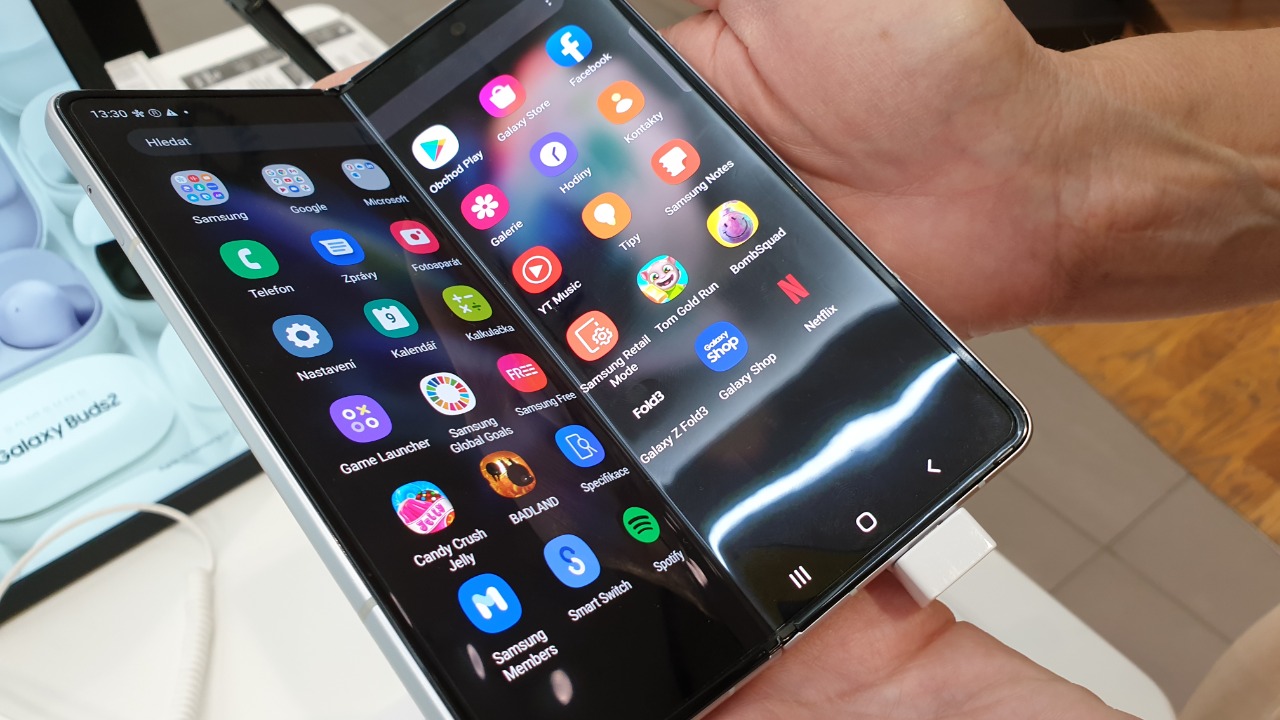

Buying a Samsung Galaxy Z Fold 8 and using it exactly like a conventional smartphone misses much of the point.
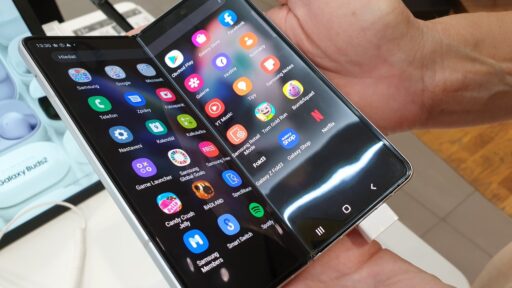
The Fold 8’s defining feature is its unusual display arrangement. When opened, its 7.6-inch main OLED display uses a 4:3 aspect ratio, creating something closer to a compact tablet than an elongated smartphone. Samsung specifically redesigned the proportions to make content, multitasking, reading and gaming more natural on the larger canvas.
So what should someone actually do with all that extra screen?
These eight uses demonstrate where the Galaxy Z Fold 8’s wide display can provide a genuine advantage rather than simply making everything bigger.
1. Run Multiple Apps Without Constantly Switching Between Them
Multitasking remains one of the strongest arguments for owning a Fold.
On an ordinary smartphone, a person might copy information from an email, switch to a browser, return to the email and then open a messaging application. The process works, but repeatedly moving between apps becomes tedious.
The Fold 8 can display multiple applications simultaneously.
Samsung’s Multi Window system lets compatible apps operate in split-screen and pop-up arrangements, while the Fold 8 also includes App Continuity and Taskbar features. Samsung lists Multi Window among the phone’s primary multitasking capabilities, and its foldable documentation explains how apps can be dragged into different areas of the screen.
That means he could keep Gmail beside Chrome while researching a trip, compare two shopping applications, or have a messaging conversation visible while checking his calendar.
For someone who regularly works from his phone, the wide screen becomes less like a large display and more like a portable workspace.
2. Turn Google Maps Into a Much Better Navigation Tool
Navigation is another area where additional screen space immediately becomes useful.
On a narrow phone display, Google Maps must squeeze the map, controls, search information and place details into a relatively restricted area.
Opening the Fold changes that experience.
A larger map makes surrounding roads, alternative routes and nearby landmarks easier to understand without constantly zooming and panning. It can be particularly useful when someone is planning a journey rather than simply following turn-by-turn directions.
The advantage becomes even greater with multitasking. A traveler could have Maps open on one side while using a browser or messaging app alongside it.
Instead of repeatedly jumping between the hotel address, restaurant information and the map, he can keep more of that information visible simultaneously.
That is a practical advantage a normal phone cannot easily reproduce.
3. Read E-Books and Long Articles Like They Were Designed for a Tablet
Most smartphones are tall and narrow because that shape works well for scrolling through feeds.
It is not necessarily the ideal shape for reading.
The Fold 8 changes orientation when opened. Samsung says its 4:3 main display can become a 3:4 layout when rotated, providing proportions that feel more natural for browsing websites and reading e-books.
Open Kindle, a news site or a long PDF, and the benefit becomes obvious.
Lines can have more comfortable widths, images receive more room, and documents require less aggressive scaling. The experience begins to resemble a small tablet rather than an oversized smartphone.
For someone who spends hours reading reports, research papers, digital magazines or books, that distinction can matter more than raw screen specifications.
The Fold does not merely show larger text. It provides a different page shape.
4. Watch Movies Without Carrying a Separate Tablet
Video seems like the obvious use for a folding screen, but the Fold 8’s new proportions make it particularly relevant.
Samsung explicitly says the 4:3 unfolded screen was designed with movies and immersive content in mind.
Streaming through services such as YouTube or Netflix can therefore feel much closer to watching on a compact tablet.
Not every video will completely fill the display. A 16:9 movie cannot magically become 4:3 without cropping or displaying unused space. But the physical viewing area can still be substantially more comfortable than watching the same content on a conventional smartphone.
That matters during flights, train journeys or hotel stays.
Instead of carrying both a phone and tablet, the owner can keep a normal mobile device in his pocket and unfold it when he wants a larger entertainment screen.
The Fold’s real trick is not replacing a television.
It is making a second portable display less necessary.
5. Edit Photos and Videos With Room to Actually See Them
Editing an image on a conventional smartphone often means choosing between seeing the photograph and seeing the editing controls.
The Fold 8 gives both more room.
Samsung has leaned into this advantage with Galaxy AI tools such as Photo Assist. On the large main screen, the phone can show an original photograph and an AI-edited version side by side, making visual comparison much easier.
The Fold 8 also includes My FanCam, which can identify subjects in footage and create reframed tracking shots around a selected person. Samsung presents the larger main display as part of that editing experience because it provides more room for choosing subjects, reviewing framing and comparing results.
This does not transform the phone into a professional editing workstation.
It does, however, remove one of mobile editing’s biggest limitations: lack of physical space.
For a creator who frequently edits photographs, short-form video or social content while traveling, the wider canvas can be more useful than another incremental camera specification.
6. Play Games on Something That Feels Closer to a Handheld Console
Mobile games can benefit enormously from larger displays, particularly titles with complex interfaces.
Strategy games, RPGs, racing titles and cloud-streamed games often contain maps, virtual controls, inventories and small text. On a conventional phone, those interface elements compete for limited screen space.
The Fold 8’s 7.6-inch panel gives them considerably more room.
Performance should not be the limiting factor either. Samsung equipped the Fold 8 with Qualcomm’s Snapdragon 8 Elite Gen 5 for Galaxy, and the company specifically positions its expanded display and processor for gaming as well as multitasking.
A Bluetooth controller can push the experience even further.
Once the owner places the unfolded device on a stand and connects a controller, the Fold begins to function like a compact gaming display that still folds back into a phone afterward.
That combination is difficult for an ordinary slab smartphone to match.
7. Review Documents and Spreadsheets Without Immediately Reaching for a Laptop
Opening a spreadsheet on a normal smartphone can feel like looking through a keyhole.
The document technically works, but columns disappear beyond the edges, cells become tiny and constant zooming makes serious work frustrating.
The Fold 8 is better suited to this type of task.
Samsung’s business materials specifically highlight the 4:3 display for reviewing documents, reading reports, scanning visuals and working with content. The company also supports Samsung DeX, allowing the Fold 8 to connect to an external display, keyboard and mouse for a more desktop-like environment.
Applications such as Microsoft 365 consequently make much more sense on a device like this.
A manager could review an Excel sheet during a commute. A salesperson could examine a proposal before meeting a client. Someone working remotely could compare a document with an email without opening a laptop.
It will not replace a computer for every job.
But it can dramatically increase the number of tasks someone is willing to perform from his phone.
8. Use AI Without Covering the Content He Is Asking About
AI assistants are becoming increasingly integrated into smartphones, but small displays create an awkward problem.
If the AI interface occupies most of the screen, the user may lose sight of the very content he wants the assistant to analyze.
A foldable offers a more natural solution.
Samsung integrates Gemini and Galaxy AI features into the Fold 8, while the company’s Now Nudge system can suggest relevant actions and open Multi Window when additional context is useful. Samsung demonstrates this with a conversation appearing beside a calendar after the phone recognizes that scheduling information may be relevant.
The wide display makes contextual AI far more practical.
Someone could keep an article visible while asking Google Gemini about it. He could have an email beside his calendar while working out a meeting time, or compare AI-generated information with the original source without repeatedly changing apps.
That may ultimately become one of the most important advantages of foldable screens.
AI works best when it has context, and users work better when they can see that context.
The Fold 8 Makes the Most Sense When the Screen Changes the Task
The Galaxy Z Fold 8 is expensive enough that simply describing it as “a phone with a bigger screen” does not provide a convincing reason to buy one.
Its value appears when the screen changes what the owner can comfortably accomplish.
Multitasking requires fewer app switches. Maps become easier to explore. Books and reports receive tablet-like proportions. Movies become more enjoyable, games gain additional space, and photo editing no longer feels as cramped.
Professional work benefits as well.
Samsung’s support documentation confirms that the Fold 8 combines Multi Window, DeX, App Continuity, Taskbar tools and Galaxy AI, meaning the large display is supported by software specifically designed to take advantage of it.
That software is what separates a useful foldable from a phone that merely unfolds.
The Fold 8 will not replace a laptop, television, gaming handheld and tablet for every person. It does not need to.
Its appeal is that it can perform portions of all those jobs while still folding into a device that fits in a pocket.
Someone who buys it and rarely opens the main screen may struggle to justify the premium.
But for a person who regularly works across several apps, reads long documents, travels, watches video, plays games or edits content on his phone, the question becomes very different.
Why keep squeezing those activities onto a conventional smartphone screen when the phone itself can open into something larger?