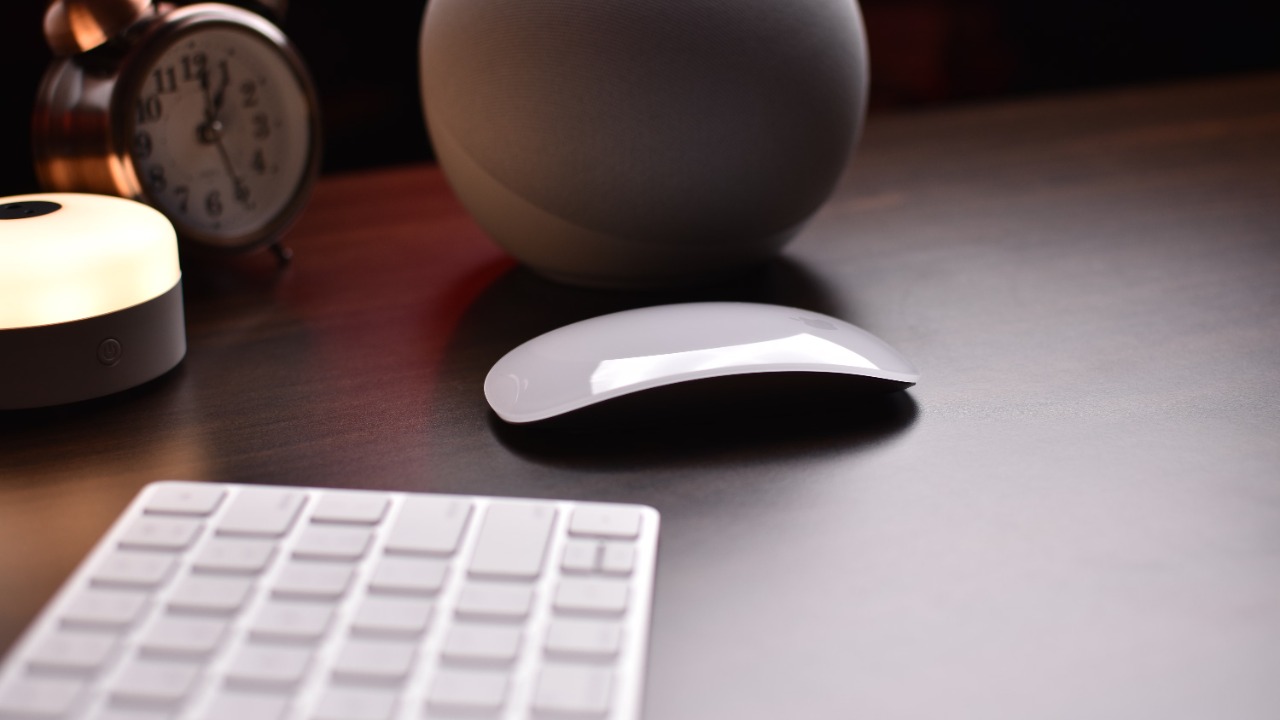

Apple’s Magic Mouse remains one of the most recognizable computer accessories ever made. Its glossy, button-free surface looks more like a carefully designed object than a conventional mouse, and its built-in gestures can make navigating macOS feel unusually smooth.
It is also one of Apple’s most criticized products.
Users regularly praise its seamless Mac integration, long battery life and touch-sensitive scrolling. The same users may complain about its low profile, limited customization and the charging port placed underneath the mouse, which prevents it from being used while connected to a cable.
Apple updated the accessory from Lightning to USB-C, but the basic design remains largely unchanged. The current model still uses Bluetooth, supports Multi-Touch gestures and requires macOS 15.1 or later or iPadOS 18.1 or later.
Whether the Magic Mouse feels innovative or irritating depends heavily on hand size, workflow and how much the user values gestures over traditional ergonomics.
1. Users Love the Multi-Touch Surface
The Magic Mouse’s biggest advantage is its touch-sensitive upper surface.
Instead of relying only on a physical scroll wheel and additional buttons, the mouse recognizes finger movements. Users can scroll vertically through documents, move horizontally across wide pages and swipe between webpages or full-screen applications.
Apple specifically highlights scrolling and page-swiping as central features of the current Magic Mouse. (Apple)
For Mac users accustomed to trackpad gestures, this creates a familiar experience. Long webpages, timelines and image galleries can feel more natural than they do with a traditional notched scroll wheel.
The surface is particularly useful for creative applications with horizontal timelines. Video editors, designers and music producers can move sideways without holding additional keys.
However, the available gestures remain simpler than those on Apple’s Magic Trackpad. Users who expect full trackpad-style control may find the mouse more limited than its large touch surface initially suggests.
2. Users Hate the Low, Flat Shape
The Magic Mouse is only 0.85 inch, or 2.16 centimeters, high. Its extremely low profile contributes to its elegant appearance, but it also creates its most common ergonomic complaint.
A traditional ergonomic mouse usually fills more of the palm and allows the hand to rest over a curved body. The Magic Mouse provides little palm support, encouraging many users to control it with their fingertips or maintain a flatter hand position.
Some people adapt without discomfort, particularly those with smaller hands or a fingertip grip. Others report wrist, finger or forearm fatigue during long sessions.
This is not simply a matter of appearance. A device used for several hours each day must fit the user’s hand and working position. A mouse that feels acceptable during a five-minute demonstration may become uncomfortable after a full working day.
Independent reviews continue to identify the unchanged ergonomics as a major weakness even after Apple’s USB-C update.
3. Users Love How Naturally It Works With a Mac
The Magic Mouse is designed specifically around Apple’s ecosystem.
It pairs automatically with a compatible Mac when connected for the first time, and macOS provides built-in controls for tracking speed, scrolling direction, secondary clicking and gestures.
There is no need to install third-party software simply to access its main features. Battery status appears inside macOS, and the mouse generally reconnects without requiring repeated setup.
That simplicity is valuable for users who do not want another background application, account or configuration utility.
The current model can also work with compatible iPads, making it useful for people who move between a Mac and an iPad-based workspace. Apple lists Bluetooth, wireless operation and Multi-Touch support among its core specifications.
The limitation is that Apple does not provide the same polished experience for Windows users. The mouse can perform basic functions on other systems, but gesture support and configuration may require unofficial drivers or additional effort.
4. Users Hate the Charging Port Underneath
The charging-port placement has become the defining joke about the Magic Mouse.
Apple places the USB-C port on the underside of the device. Once the cable is connected, the mouse must rest upside down and cannot be used normally.
This design prevents wired operation during charging. A user who ignores low-battery warnings may suddenly need to stop working and wait while the mouse receives enough power to continue.
Moving from Lightning to USB-C made the cable more convenient because it now matches modern Macs and other accessories. It did not solve the underlying placement problem.
Supporters argue that charging is required so infrequently that the inconvenience is minor. Apple says the battery lasts about a month or more between charges, so a short planned charging session can avoid disruption.
Critics respond that even an infrequent problem remains unnecessary. Competing rechargeable mice commonly place their charging ports at the front, allowing them to function as wired devices while charging.
5. Users Love the Long Battery Life
The rechargeable battery is one of the Magic Mouse’s strongest practical features.
Apple states that it can operate for approximately a month or longer between charges. Real-world results vary according to usage and settings, but many users can go weeks without connecting the cable.
Long battery life reduces the impact of the inconvenient port. Someone who charges the mouse during lunch, overnight or before travel may rarely experience an interruption.
The built-in rechargeable design also avoids disposable batteries. Earlier Magic Mouse generations used replaceable AA batteries, while current versions recharge through USB-C.
Battery health will eventually decline because the internal cell cannot be replaced as easily as standard batteries. That matters for users planning to keep the accessory for many years.
However, the mouse consumes relatively little power, so battery aging may be less immediately noticeable than it is on phones and laptops.
6. Users Hate the Limited Buttons and Customization
Traditional productivity and gaming mice often include a scroll-wheel click, side buttons, profile switching and programmable controls.
The Magic Mouse offers far fewer physical inputs.
Its surface detects left and right clicks, scrolling and selected gestures, but it lacks dedicated side buttons for browser navigation, application shortcuts or tool switching. Users coming from a Logitech MX Master or gaming mouse may find the reduction frustrating.
Third-party utilities can expand the gesture system and assign additional actions, but this adds software complexity to a product that is supposed to work simply out of the box.
The absence of multiple buttons is less problematic for people who rely heavily on keyboard shortcuts. It becomes more noticeable in spreadsheets, creative tools, games and browser-heavy work where programmable buttons can save time.
Its minimalism is therefore both a strength and a weakness. The clean design removes clutter, but it also removes controls that many advanced users consider essential.
7. Users Love the Premium, Minimalist Design
Few computer mice look as distinctive on a desk.
The Magic Mouse has a seamless top surface, an aluminum base and a compact body weighing approximately 0.22 pound, or 99 grams.
Its thin shape makes it easy to carry in a laptop bag, and the absence of a protruding scroll wheel prevents the accessory from catching on other items.
The current version is available in white and black finishes, although the darker model typically carries a higher retail price. Apple’s U.S. list price has traditionally placed the white version around $79, with discounts occasionally taking it below that amount. A June 2026 promotion, for example, reduced the latest white model to $63.99.
The polished surface can show fingerprints and scratches, while the white version may develop visible wear over time. Even so, it remains one of the few mice purchased partly because of how well it matches a Mac-centered desk.
8. Users Hate Its Weak Value Compared With Rivals
The Magic Mouse is expensive for a device with limited buttons, no wired-use mode and an old basic design.
Competing mice at similar prices may offer ergonomic contours, silent switches, multi-device pairing, programmable controls and the ability to work while charging.
Some alternatives also provide adjustable sensitivity or higher-performance sensors. These features matter for users with multiple computers, large displays or specialized software.
The Magic Mouse’s price is easier to justify when gestures and Mac integration are top priorities. It becomes more difficult to defend when comfort and customization matter more.
An inexpensive Bluetooth mouse can handle basic pointing and clicking for a fraction of the cost. A premium productivity mouse may cost more but deliver significantly broader functionality.
The Magic Mouse occupies an unusual middle position: premium in price and materials, but intentionally minimal in features.
9. Users Love or Hate Its Gesture-First Philosophy
The final reason explains nearly every disagreement about the Magic Mouse.
It is not trying to be a conventional ergonomic mouse with more buttons. It is essentially a touch surface attached to a pointing device.
Users who scroll constantly, swipe between pages and enjoy Apple’s gesture-based interface may find it uniquely satisfying. The mouse can make macOS navigation feel fluid without requiring a separate trackpad.
Users who prefer a supported palm, tactile wheel and programmable controls may see the same design as an example of appearance taking priority over comfort.
That difference is why online opinions remain so polarized. The Magic Mouse is not universally bad or universally brilliant. It is highly specialized around a particular interaction style.
Is the Apple Magic Mouse Worth Buying in 2026?
The Magic Mouse remains worthwhile for Mac users who value Multi-Touch gestures, simple pairing and a clean desk setup.
It is particularly suitable for light or moderate use, portable work and workflows involving horizontal scrolling. Its long battery life also makes the bottom charging port less disruptive when charging is planned in advance.
It is a weaker choice for gaming, all-day precision work, users with wrist discomfort or anyone who depends on programmable buttons. People with larger hands should test it before buying rather than assuming that Apple’s design will fit comfortably.
The USB-C update makes the cable more convenient, but it does not modernize the ergonomics or charging arrangement. The product remains largely the same controversial mouse users have debated for years.
That consistency is exactly why some owners love it and why others replace it almost immediately.