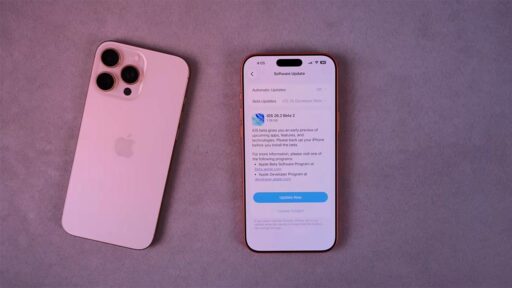
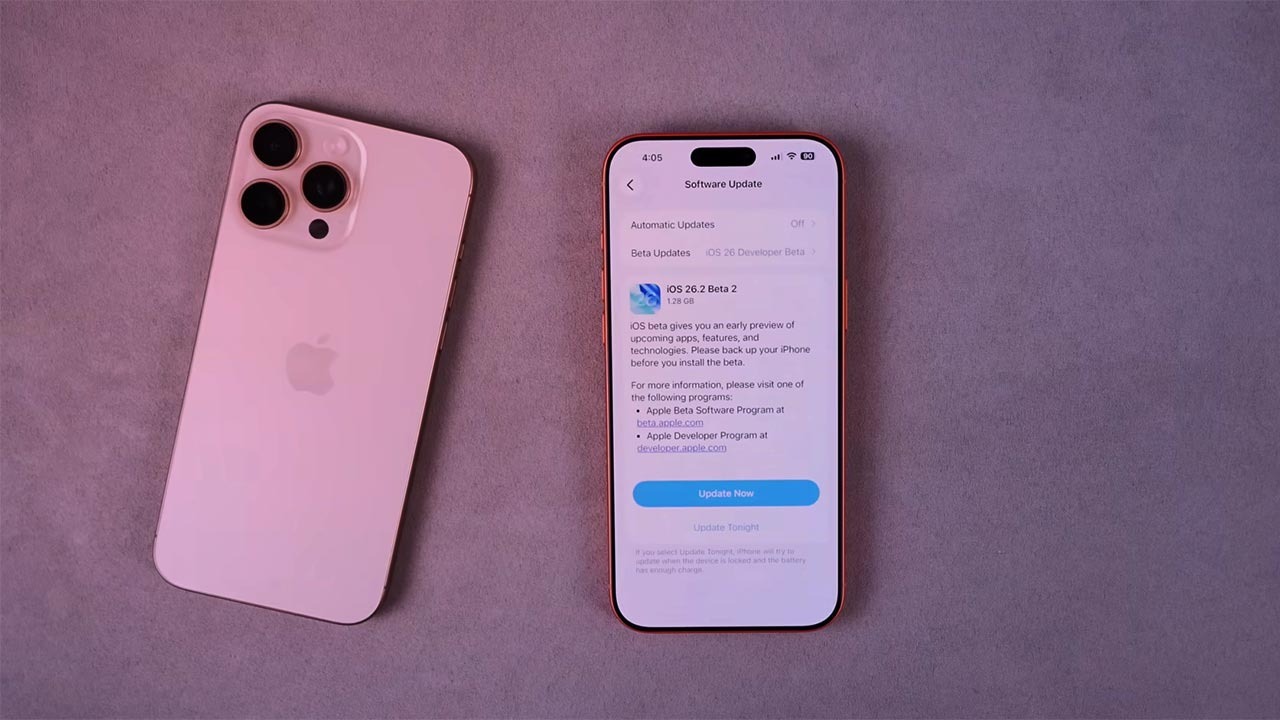

Apple’s latest iPhone software, iOS 26.2, looks like a routine point release at first glance, but it quietly reshapes how the system looks, feels, and protects you. Beyond the usual bug fixes, it layers new visual tools, smarter alerts, and important security patches on top of the broader redesign that arrived with iOS 26. Taken together, these changes make everyday tasks a little more fluid while tightening defenses in the background.
I see five additions in particular that stand out: a more expressive Lock Screen, deeper customization for your Home Screen, a genuinely useful new alert style, smarter built‑in apps, and a set of under‑the‑hood upgrades that matter for both privacy and performance. If you have not installed iOS 26.2 yet, these are the features that justify making time for the update.
1. Liquid Glass Slider transforms the Lock Screen
The most eye‑catching change in iOS 26.2 is the new Liquid Glass Slider that appears in the Lock Screen customization view. Instead of treating your wallpaper as a static image, this control lets you dial in a fluid, glass‑like effect that subtly refracts widgets, notifications, and the clock. It turns the Lock Screen into a design surface where you can move from a crisp photo look to a more abstract, translucent style without swapping wallpapers or themes.
According to feature rundowns of version 26.2, the Liquid Glass Slider sits alongside existing Lock Screen tools, so you can still adjust fonts, colors, and complications while layering this new effect on top. That means you can keep a favorite portrait of your kids or a landscape shot from a recent trip, then use the slider to make the time and widgets stand out more clearly against busy backgrounds. For people who already maintain multiple Lock Screen setups for work, travel, or fitness, the slider adds another dimension of control without forcing you to rebuild those layouts from scratch.
2. Home Screen customization gets more flexible
iOS 26.2 does not stop at the Lock Screen. It also deepens the customization options for your Home Screen, building on the broader design changes that arrived with iOS 26. Earlier system notes describe iOS 26 as a release that brings a new design, more intelligent experiences, and improvements to the apps you rely on every day, and About iOS 26 Updates confirms that iOS 26.2 continues that trajectory. In practice, that means more ways to arrange icons, widgets, and color accents so your main pages feel less like a fixed grid and more like a dashboard tuned to how you actually use your phone.
Guides to the new software describe iOS 26.2 as the latest version that refines both Lock Screens and Home Screens, making it easier to keep visual consistency between the two. If you set up a minimal Lock Screen with a muted Liquid Glass effect and a focus mode for work, you can now mirror that tone on your Home Screen with matching widgets and icon treatments. For example, you might dedicate a page to productivity with Mail, Calendar, and Reminders widgets in a single color palette, then switch to a media‑heavy page with Music, Podcasts, and TV apps that pick up the same background blur you see when you wake the phone.
3. Flash‑style alerts add a Cool New Ability
One of the most practical additions in iOS 26.2 is a new alert style that uses your iPhone’s flash and screen to grab your attention. Rather than relying only on sound or vibration, the system can now pulse bright visual cues when certain notifications arrive, which is especially helpful if your phone is across the room or if you keep it muted during meetings. It is a small change on paper, but in daily use it can mean the difference between catching a critical message and missing it entirely.
Coverage of iOS 26.2 describes how Apple Quietly Gave Your iPhone a Cool New Ability by tying this flash behavior directly to the newest software update. The feature is particularly useful for people who are hard of hearing or who work in loud environments where audio alerts get lost. It also pairs well with Focus modes, so you can reserve the most intense visual alerts for high‑priority contacts or apps such as Messages, Slack, or a home security app, while keeping everything else on standard banners and vibrations.
4. Built‑in apps pick up smarter Features
Beyond the headline visual tweaks, iOS 26.2 quietly upgrades several of the built‑in apps that many people use all day. Earlier documentation on iOS 26 framed the release as one that improves the apps you rely on every day, and the latest point update continues that pattern with refinements that are easy to overlook but hard to give up once you have them. Reminders, for instance, becomes more capable at surfacing time‑sensitive tasks, and system‑level safety alerts are tuned to be more context aware, so they interrupt you only when it really matters.
Deep dives into iOS 26.2 note that the update brings changes to Reminders and safety alerts alongside the more visible interface tweaks. In practical terms, that might mean clearer prompts when you set location‑based reminders tied to places like the grocery store or your office, or more precise notifications when the system detects a potential safety issue. For people who already lean on Reminders to manage shared shopping lists or project checklists, these refinements can reduce friction, especially when combined with the new visual styles that make time‑sensitive items stand out more clearly on the Lock Screen and Home Screen.
5. Security, stability, and Everything New under the hood
As polished as the new design and features are, the most important reason to install iOS 26.2 may be the security work that is not immediately visible. Apple released iOS 26.2 earlier this cycle and confirmed that the update patches two bugs that may have been actively exploited. That kind of language is a clear signal that attackers were already trying to use those vulnerabilities in the wild, which makes delaying the update a real risk if you keep sensitive data like banking apps, health records, or work email on your phone.
Apple’s own Updates page for iOS 26 notes that iOS 26.2 includes security updates for your iPhone, and that it builds on a broader release that already brought a new design and more intelligent experiences. Combined with the feature lists that describe version 26.2 as a package of Adds These New Features to Your iPhone, the picture that emerges is of a release that is as much about shoring up the foundation as it is about adding visible polish. In my view, that balance is what makes iOS 26.2 worth prioritizing: you get the Liquid Glass Slider, richer customization, and a Cool New Ability for alerts, but you also lock in critical fixes that keep those experiences secure over the long term.