
Google’s latest software changes are undermining what reviewers previously called the standout experience of the original Pixel Watch, with new interface decisions and feature tweaks making the watch feel less intuitive and less unique. By steadily reshaping navigation, watch faces, and core apps through updates, the company is eroding the clean, focused design that once set the Pixel Watch apart and turning it into just another Wear OS device weighed down by clutter and inconsistency.
The original Pixel Watch’s defining strength
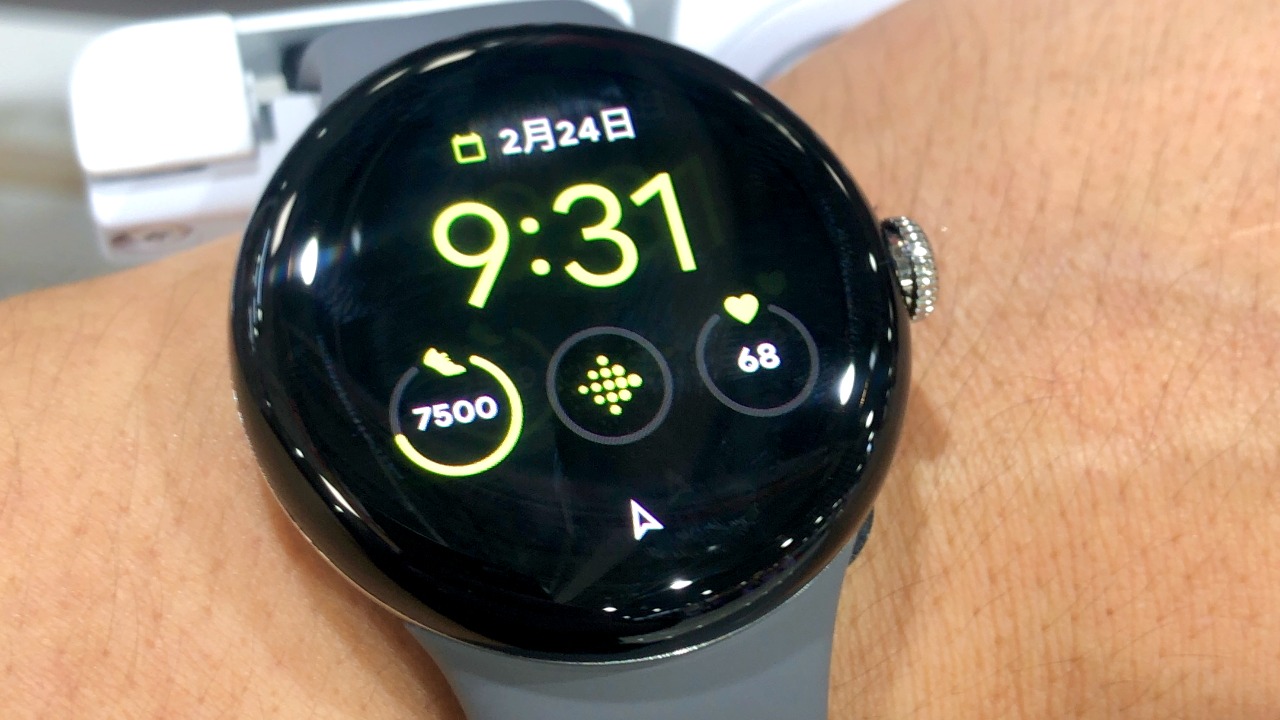
When the first-generation Pixel Watch arrived, its defining strength was not raw specs or battery life but a simple, coherent interface that made core features easy to reach. Reviewers highlighted how the launch software kept complications, tiles, and app lists tightly curated, so everyday actions like checking notifications, starting a workout, or launching Google Maps required minimal swipes and taps. Instead of mirroring the sprawling menus that had come to characterize other Wear OS hardware, the Pixel Watch leaned into a restrained design language that felt purpose-built for its small, round display.
That streamlined software experience quickly became what many reviewers described as “the best thing about the Pixel Watch,” giving the device a clear identity in a crowded smartwatch market. Early adopters saw the focused design as proof that Google could finally deliver a polished, user-friendly Wear OS experience on its own hardware, with the Pixel Watch acting as a reference model for how the platform should behave. The praise signaled that a carefully edited interface could be a competitive advantage, reassuring buyers that they were getting a watch that prioritized clarity and consistency over feature sprawl.
What Google changed in recent Pixel Watch updates
Recent updates to the Pixel Watch software have chipped away at that clarity by altering navigation patterns, app layouts, and watch face behavior in ways that add extra steps or confusion. According to the critique in “Google is ruining the best thing about the Pixel Watch”, Google has pushed interface revisions that shuffle where key controls live, so actions that once took a single crown press or swipe now demand more hunting through menus. The result is a watch that feels less predictable than it did at launch, particularly for owners who had internalized the original gesture map and now find long-established muscle memory working against them.
The same reporting describes how specific UI and UX elements that once felt distinctly “Pixel” have been replaced with more generic, cluttered Wear OS components. Clean app grids have given way to denser layouts, and previously restrained system cards now compete for attention with extra toggles and prompts that were not part of the original experience. Crucially, these changes arrived via software updates rather than new hardware, so existing Pixel Watch owners watched their once-refined interface morph into something busier and less cohesive without buying a new model or explicitly opting in.
Why these changes feel like a step backward
For many users, the new design decisions make everyday interactions slower and less predictable compared with the launch software. Where the original Pixel Watch emphasized direct access to essentials like notifications, Google Wallet, and Fitbit workouts, the updated interface often inserts additional screens or gestures before the same tasks can be completed. That shift may seem minor in isolation, but on a device that lives on the wrist and is meant to be checked in seconds, each extra tap or swipe compounds into friction that undermines the watch’s role as a quick-glance companion.
By diluting the Pixel Watch’s distinctive simplicity, Google is also blurring the line between it and other Wear OS watches, weakening the product’s core value proposition. The critique argues that the company is effectively prioritizing platform uniformity and feature parity over the original, user-first design that made the Pixel Watch stand out. In practice, that means the watch now feels less like a tightly integrated Google showcase and more like another generic Wear OS device, which undercuts the rationale for choosing it over alternatives from Samsung, Fossil, or Mobvoi that already lean into a busier, more customizable approach.
Impact on current Pixel Watch owners and potential buyers
Existing Pixel Watch owners are in a particularly difficult position because they are effectively forced into the new experience with no option to keep the older, better-liked interface. Once the software updates install, the original navigation patterns and layouts are gone, leaving users who bought the watch for its clean design to adapt to a more cluttered system they did not ask for. That lack of choice can feel especially jarring for people who carefully evaluated the Pixel Watch against rivals and concluded that its restrained software was worth paying for.
The shift also raises broader trust concerns for potential buyers who might now worry that any future Pixel Watch purchase could be substantially altered after launch. If Google is willing to overhaul the core experience mid-cycle, customers who value stability and predictability may hesitate to invest in newer Pixel Watch models, fearing that the qualities that attract them today could be removed tomorrow. In a smartwatch market where long-term software support is a key selling point, the perception that updates might degrade usability rather than improve it could push some shoppers toward competitors that keep their interface philosophies more consistent over time.
What Google should do next to fix the Pixel Watch experience
The critique in “Google is ruining the best thing about the Pixel Watch” argues that Google should restore, or at least offer options for, the original streamlined interface elements that made the watch special. Rather than treating the updated layouts and navigation schemes as mandatory, the company could provide toggles or profiles that let users choose between the launch-style experience and the newer, more feature-heavy design. That approach would acknowledge the value of the original software while still giving power users access to additional tools, and it would send a clear signal that Google respects the preferences of people who bought into the first-generation vision.
More broadly, Google needs a more user-centric update strategy for the Pixel Watch, one that combines clearer communication, opt-in design changes, and a stronger commitment to preserving the product’s core strengths. Major interface shifts should be framed as experiments or optional modes rather than silent replacements, with detailed release notes and in-watch prompts that explain what is changing and why. If Google wants the Pixel Watch to stand out rather than becoming just another generic Wear OS device, it has to treat the watch’s distinct identity as a feature worth protecting, not a temporary phase to be overwritten by the next round of platform-wide tweaks.